Financial App #1

Your whole financial life in the palm of your hand.

An app that helps you keep expenses, budget, debts, goals, and savings under control in one place. Freelife helps you live within your means, build a financial strategy, gradually get out of debt, and move confidently toward your goals.

Instagram
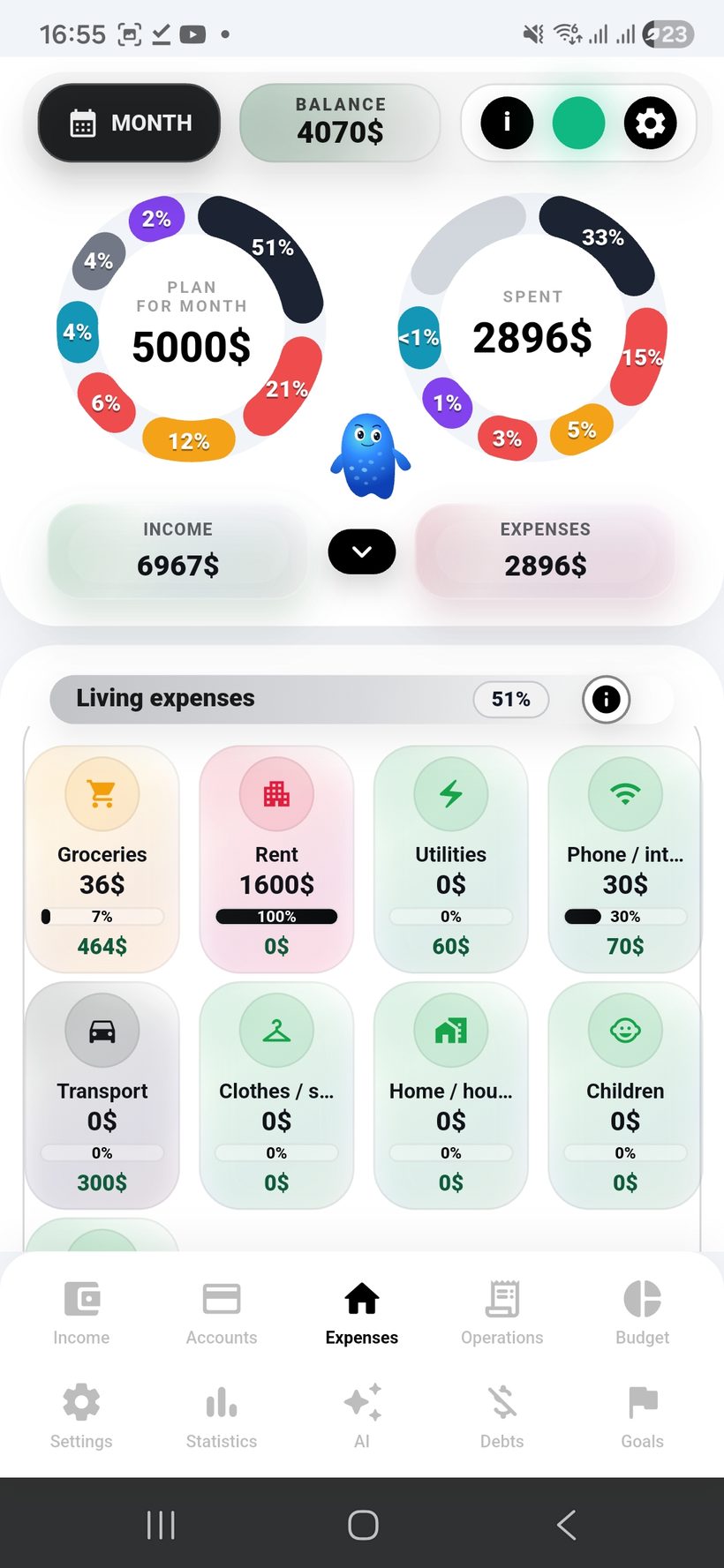
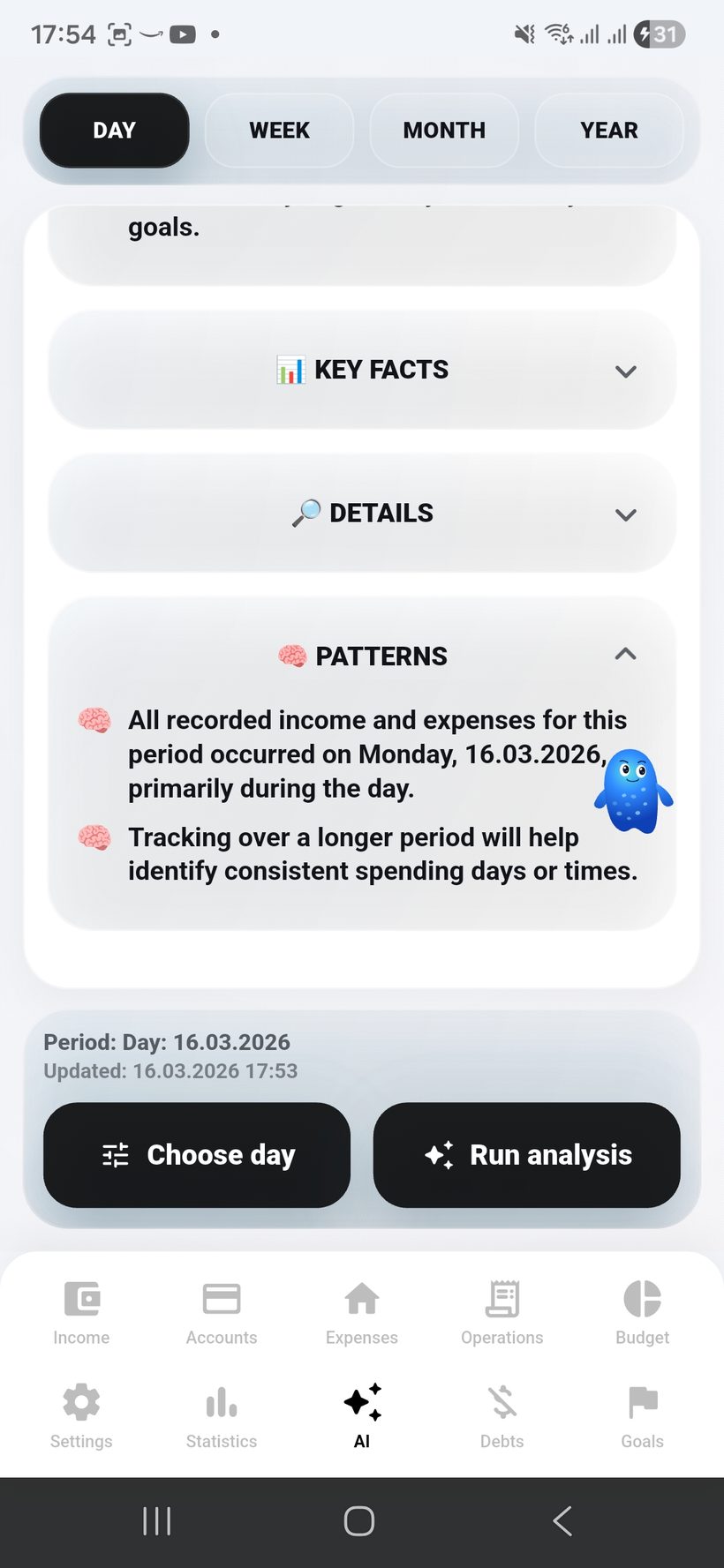
Home screen — screen 1
Freelife
1
Main app screen
The same screenshot layout used across the rest of the site is prepared here.
Section
Home
Screen
01 / 05
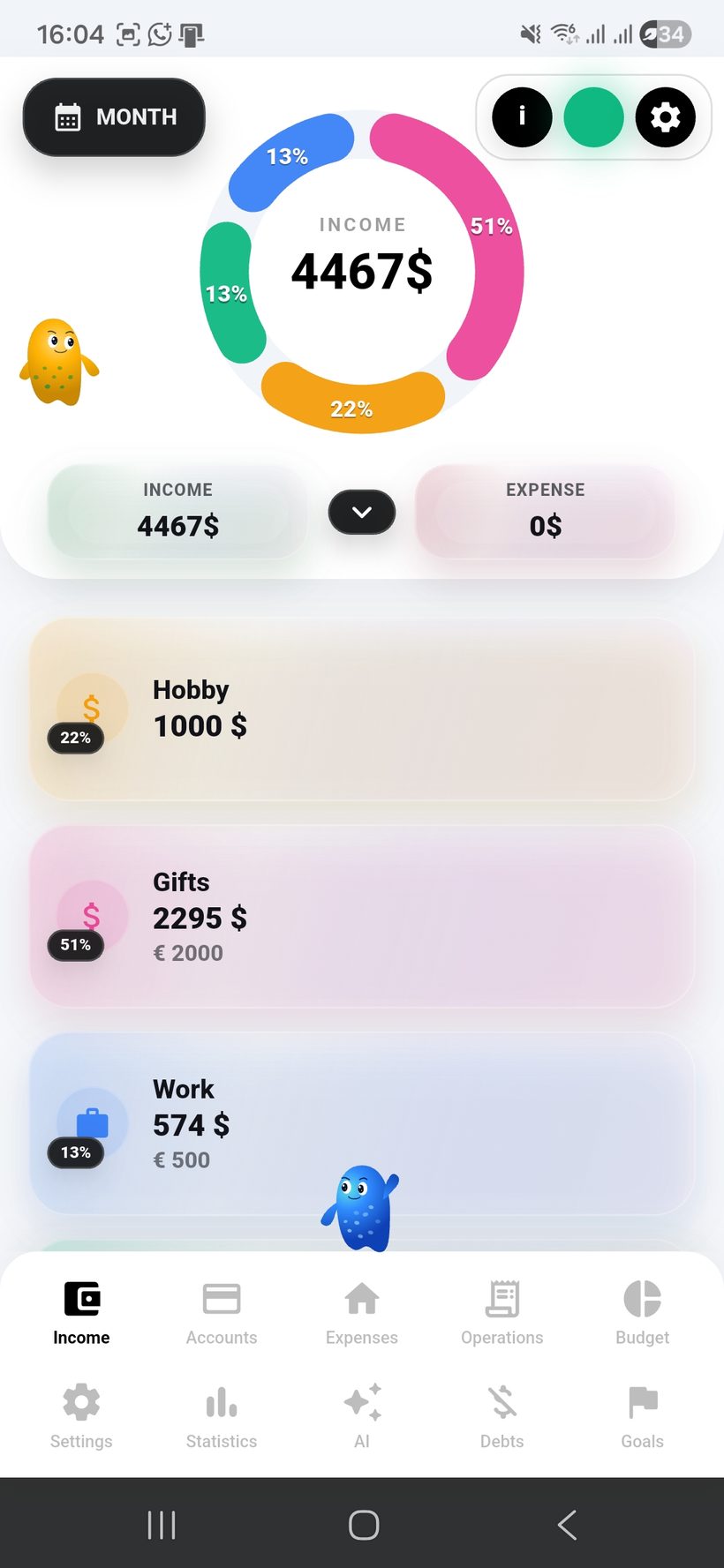
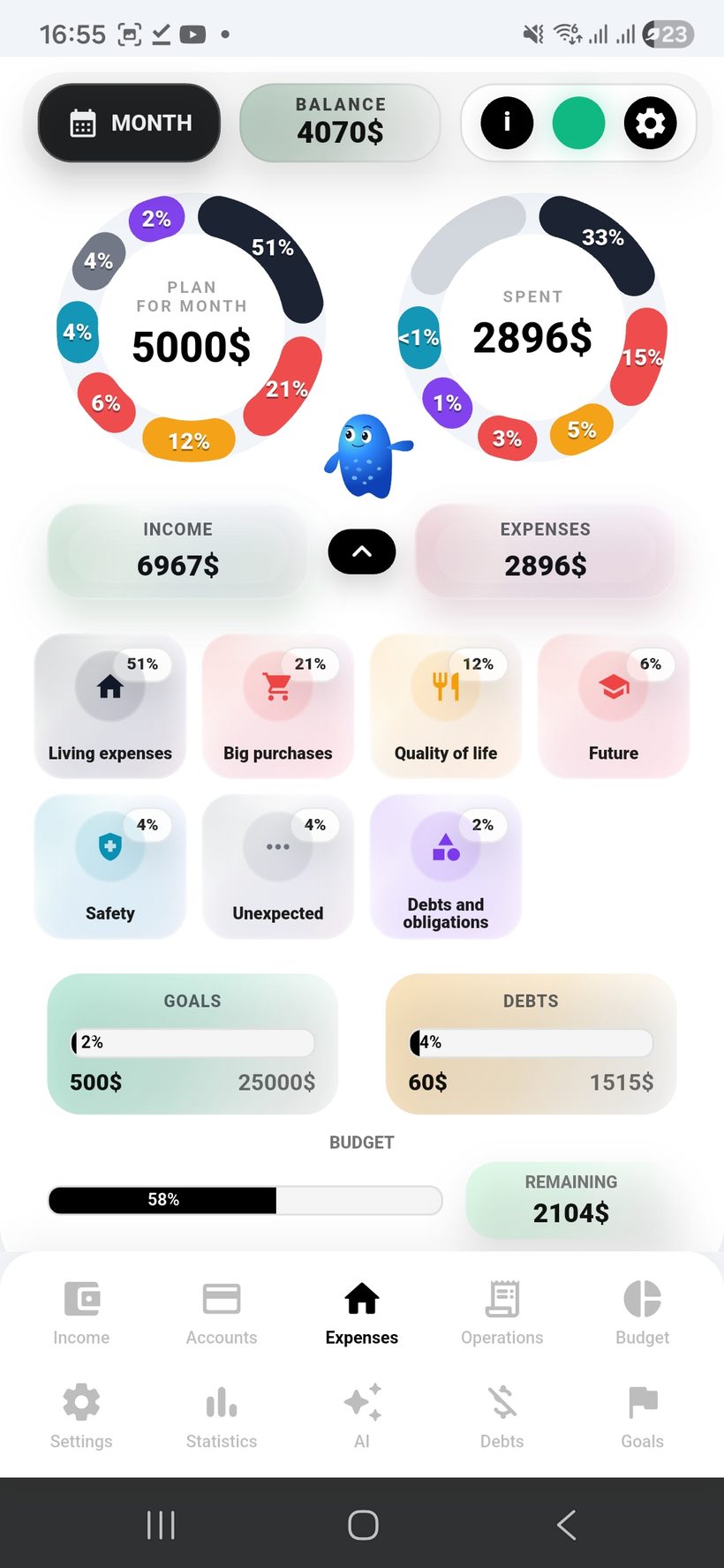
Home screen — screen 2
Freelife
2
Screen 2
The second slot keeps the same template without separate custom layout on the landing page.
Section
Home
Screen
02 / 05
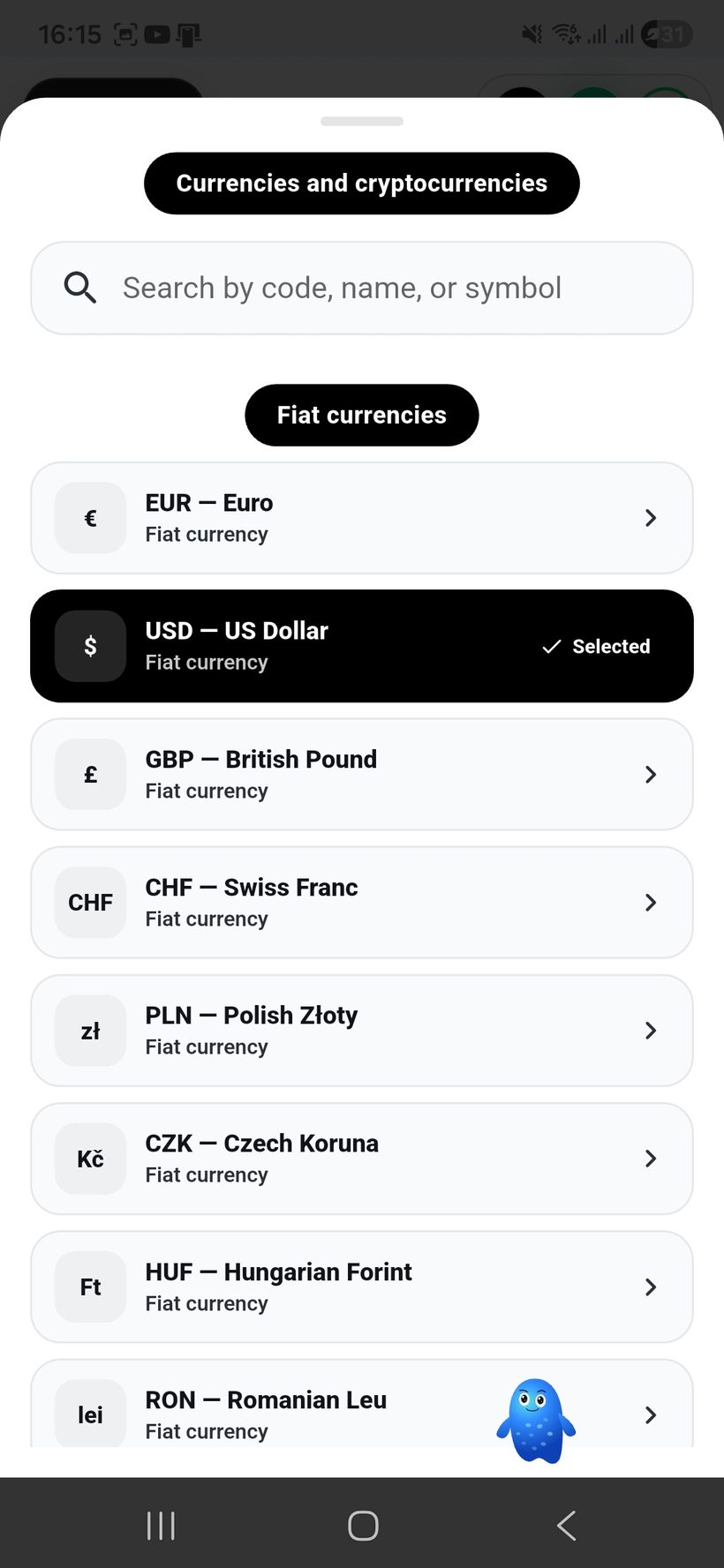
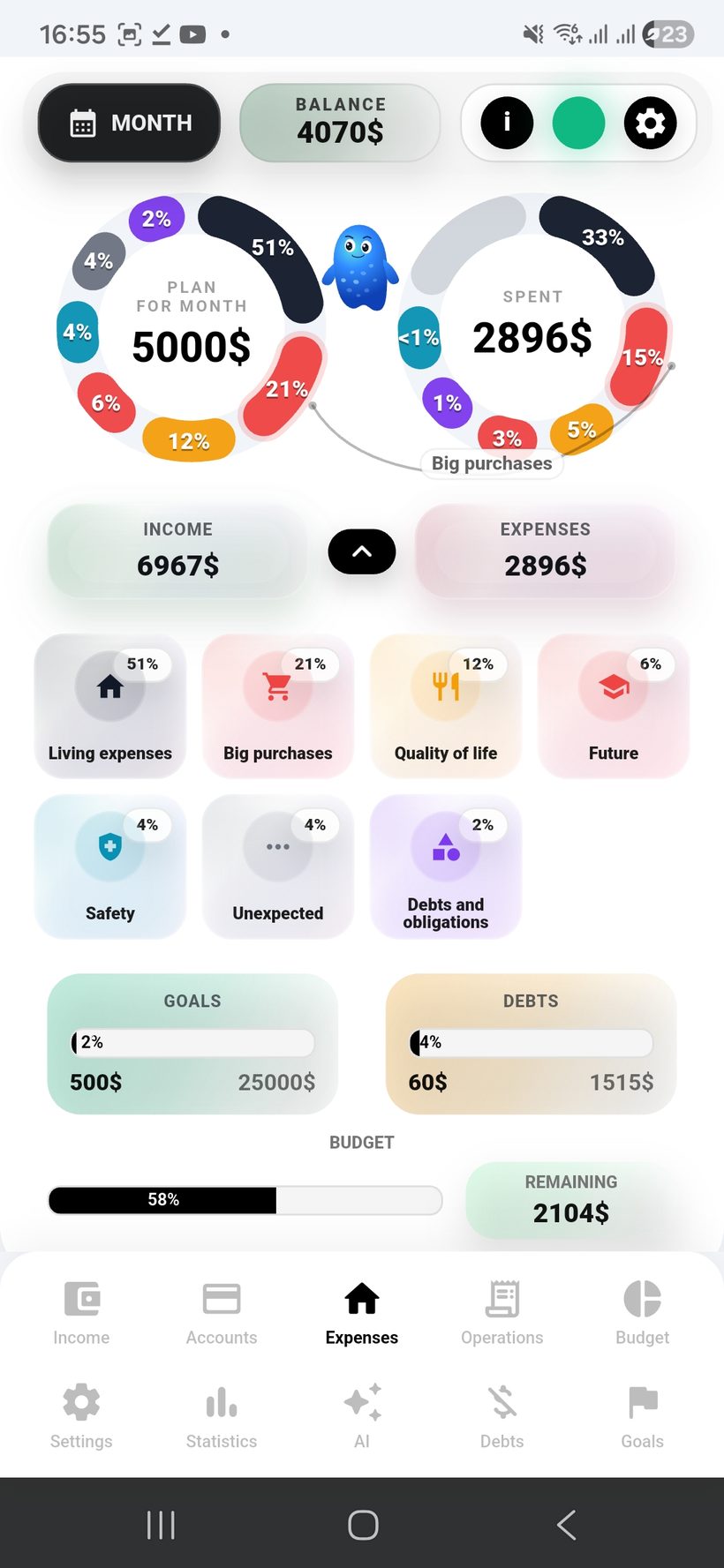
Home screen — screen 3
Freelife
3
Screen 3
The third screen now fits into the same frame as the other screenshot showcases.
Section
Home
Screen
03 / 05
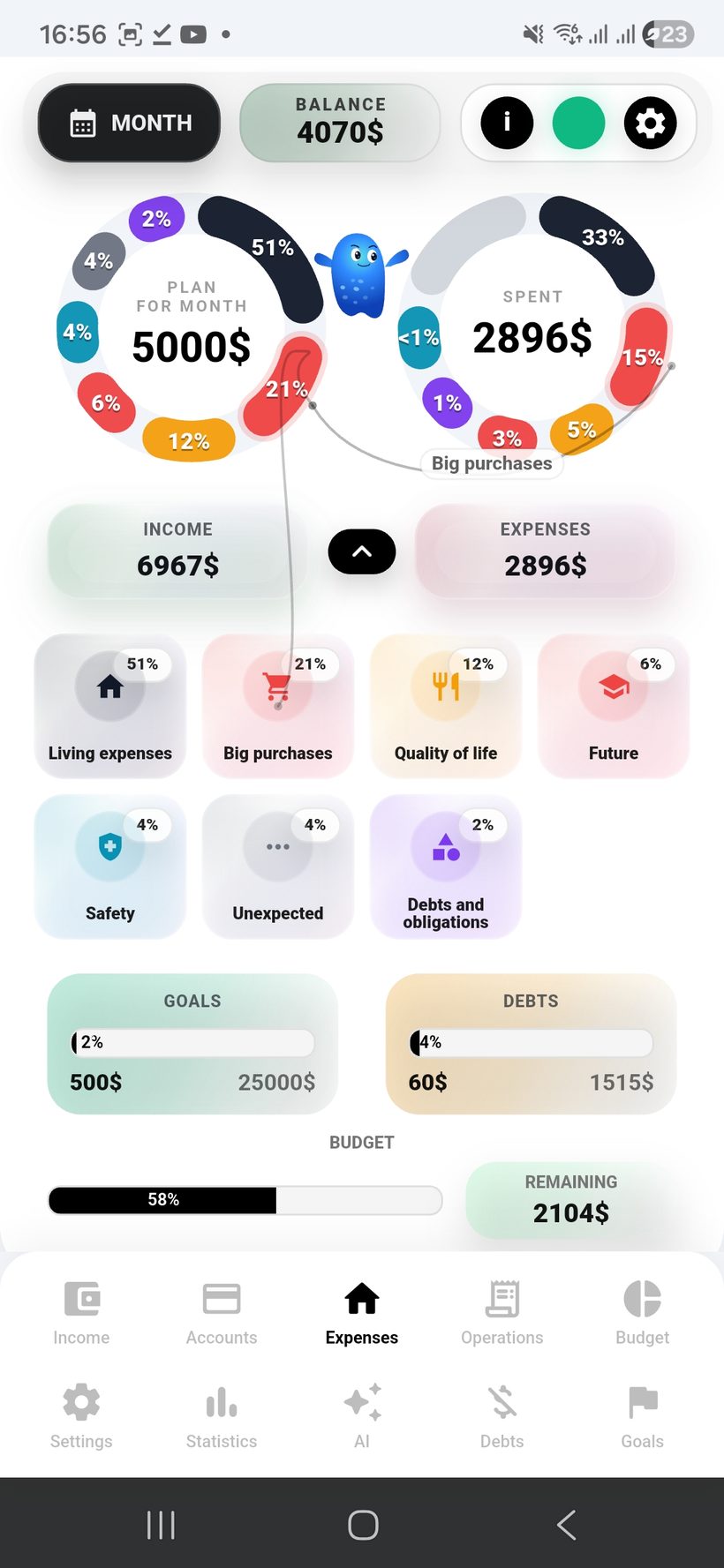
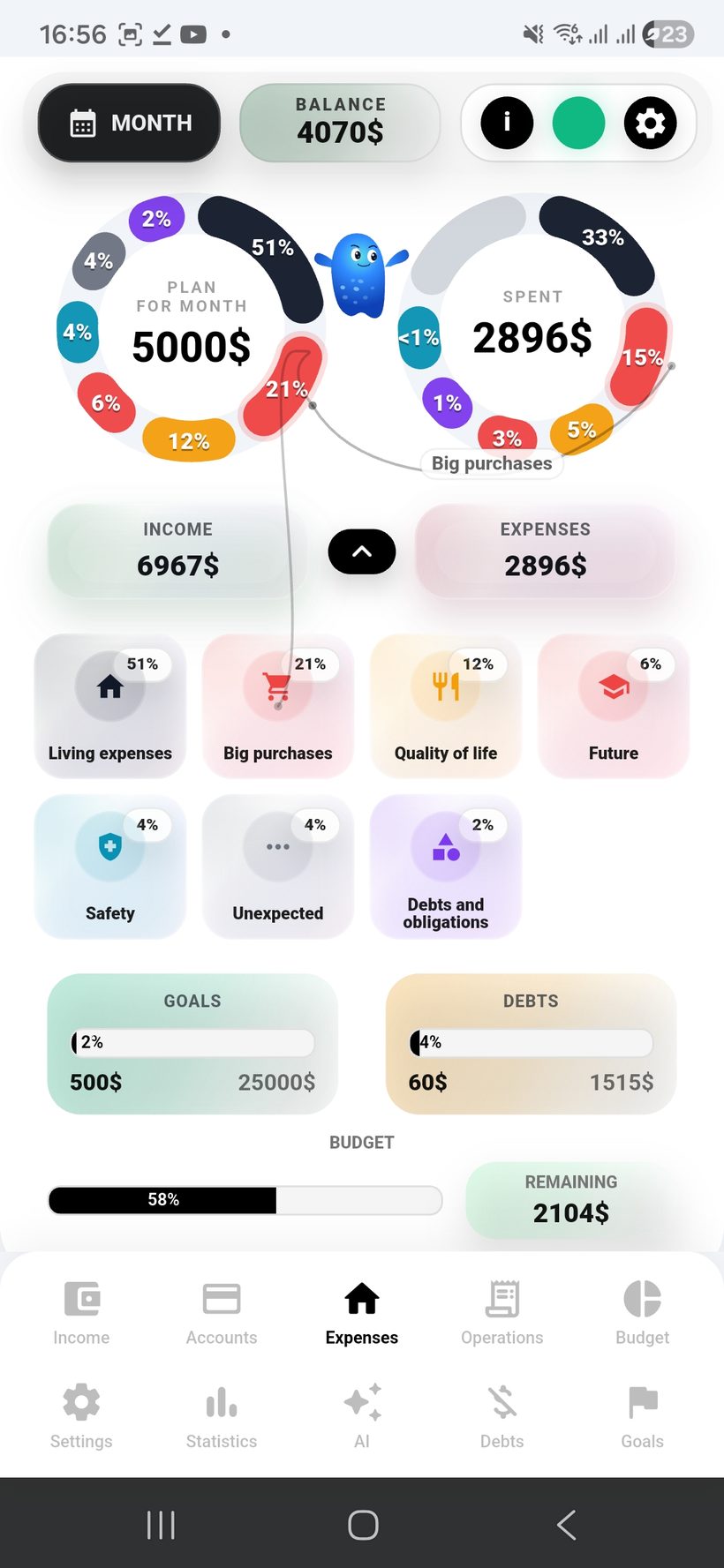
Home screen — screen 4
Freelife
4
Screen 4
Buttons 1–5 work in the same format as on the other section screens.
Section
Home
Screen
04 / 05
Home screen — screen 5
Freelife
5
Screen 5
The fifth slot is ready for the home screen screenshot and stays within the same overall template.
Section
Home
Screen
05 / 05
AI financial assistant

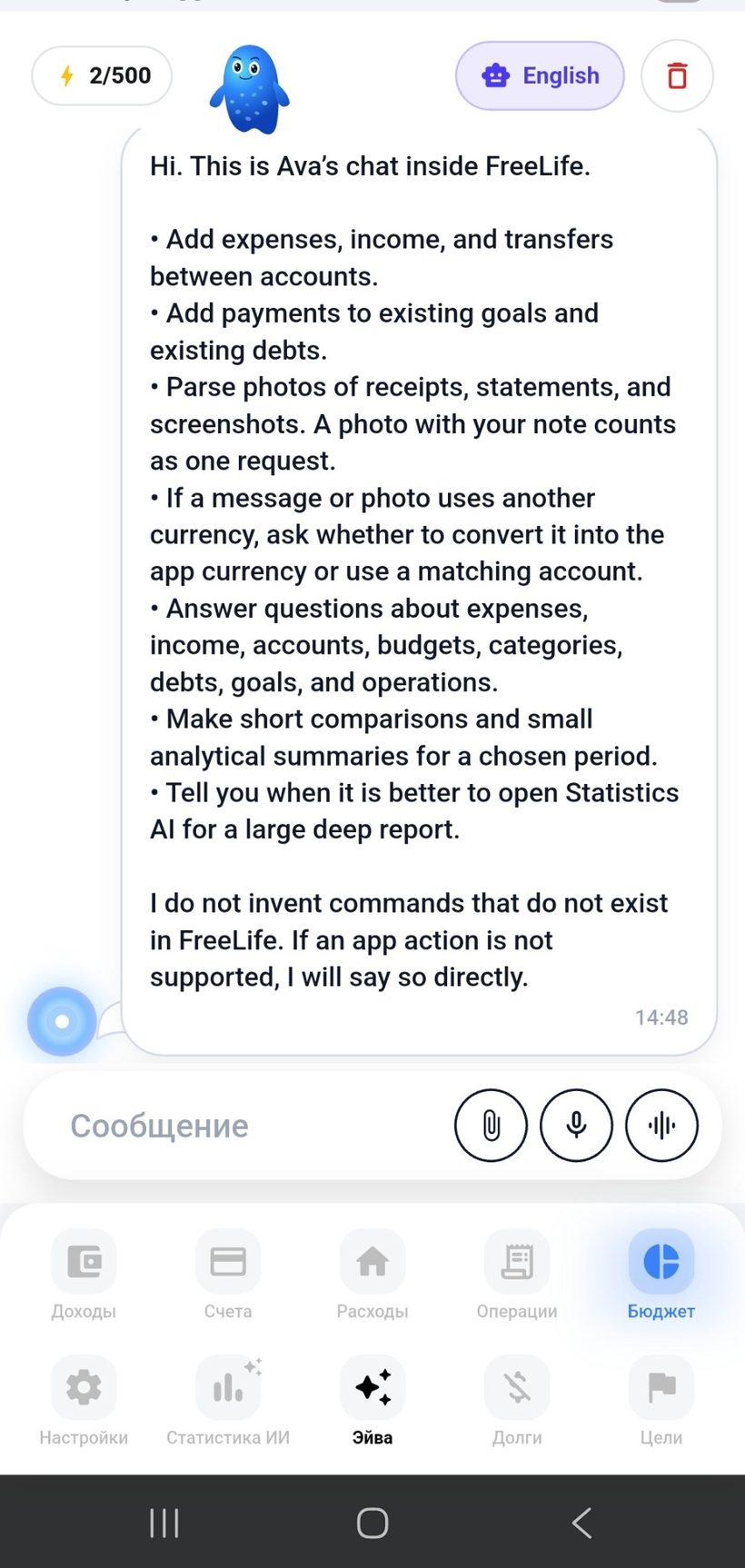
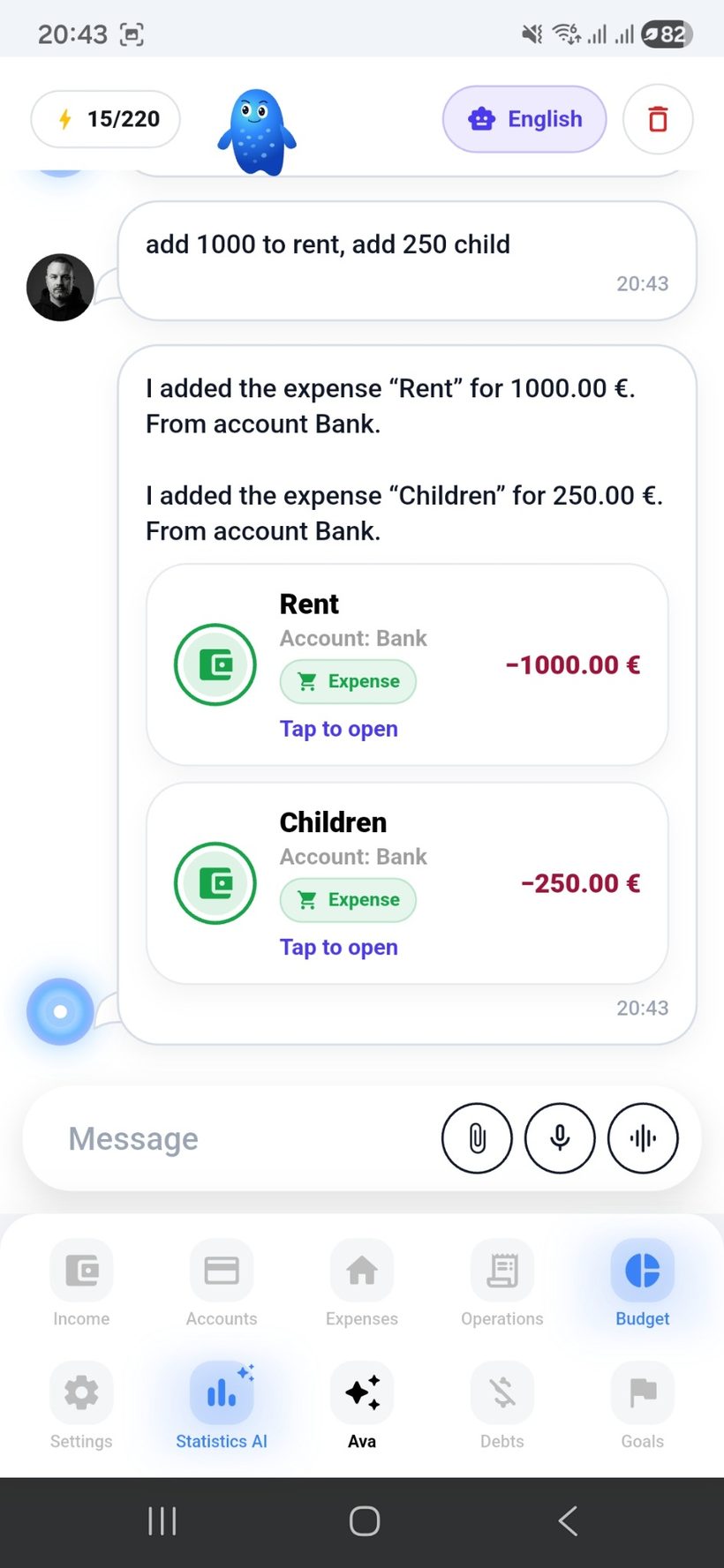
Aiva is your AI financial assistant. Talk to her, send voice messages, add payments in seconds, and instantly understand what is happening with your money.

  • 💬
    Talk to Aiva, send voice messages, or write to her, and add payments without long manual forms.
  • 📸
    She understands photos of receipts and bank screenshots, detects amounts, currency, and details, and sorts everything into the right categories.
  • 💱
    She supports multi-currency: detects the currency, checks the rate, and records data correctly in the right currency and account.
  • With one command she can add an expense, income, transfer between accounts, debt payment, or goal top-up.
  • 🧾
    She helps keep your budget under control: shows where you are going over limits, how much is left in each category, and where most of your money goes.
  • 📊
    She answers questions about expenses, income, accounts, debts, goals, budgets, and categories: ask how much you spent on rent, whether you stayed within budget, or what changed in a category over the month.
  • 🧠
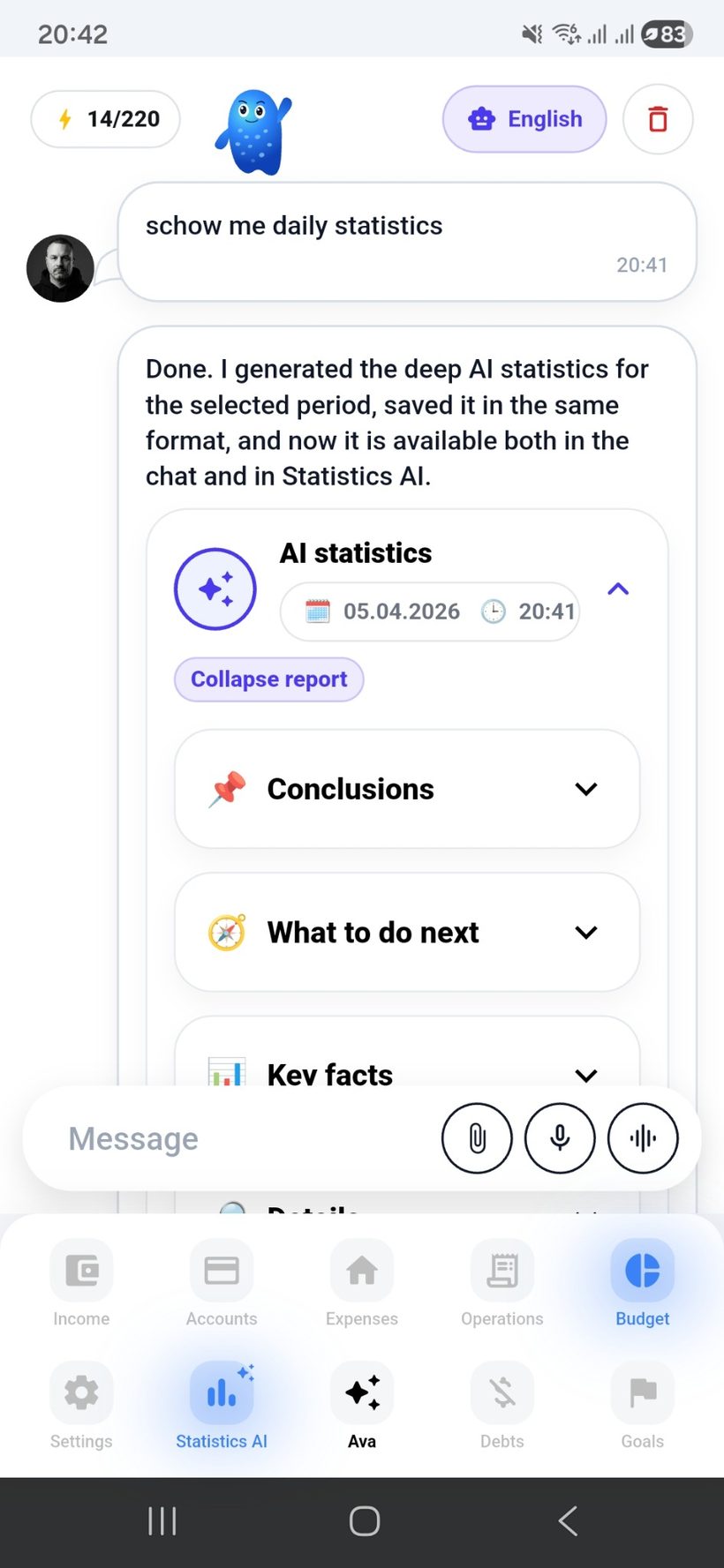
    She provides quick analytics, comparisons, and deep AI statistics for a day, week, month, or any custom period so you always see the full picture of your finances.
Section scenario: With Aiva, managing your finances becomes easier: say add rent €850 or log groceries for $42, and she records the payment, checks the budget, and helps you understand your financial picture.
Assistant — screen 1
Aiva
1
Add payments by voice, text, and photo
Just say or type what to add: expense, income, transfer, debt payment, or goal top-up. Aiva understands the request and fills it in for you in seconds.
Format
Text • voice • photo
Actions
Expense • income • transfer
Assistant — screen 2
Budget
2
Knows your budget and categories
Aiva remembers your categories, budgets, accounts, debts, and goals. She can tell you where you are going over budget, how much is left, and what changed since the last period.
Focus
Budget and categories
Help
Limits and balances
Assistant — screen 3
AI
3
Analytics, comparisons, and AI reports
Ask what you spent on rent last month, whether groceries stayed within budget, what changed versus the previous period, or launch deep AI statistics for the period you need.
Format
Brief / deep
Period
Day • week • month

Income and
cash flows

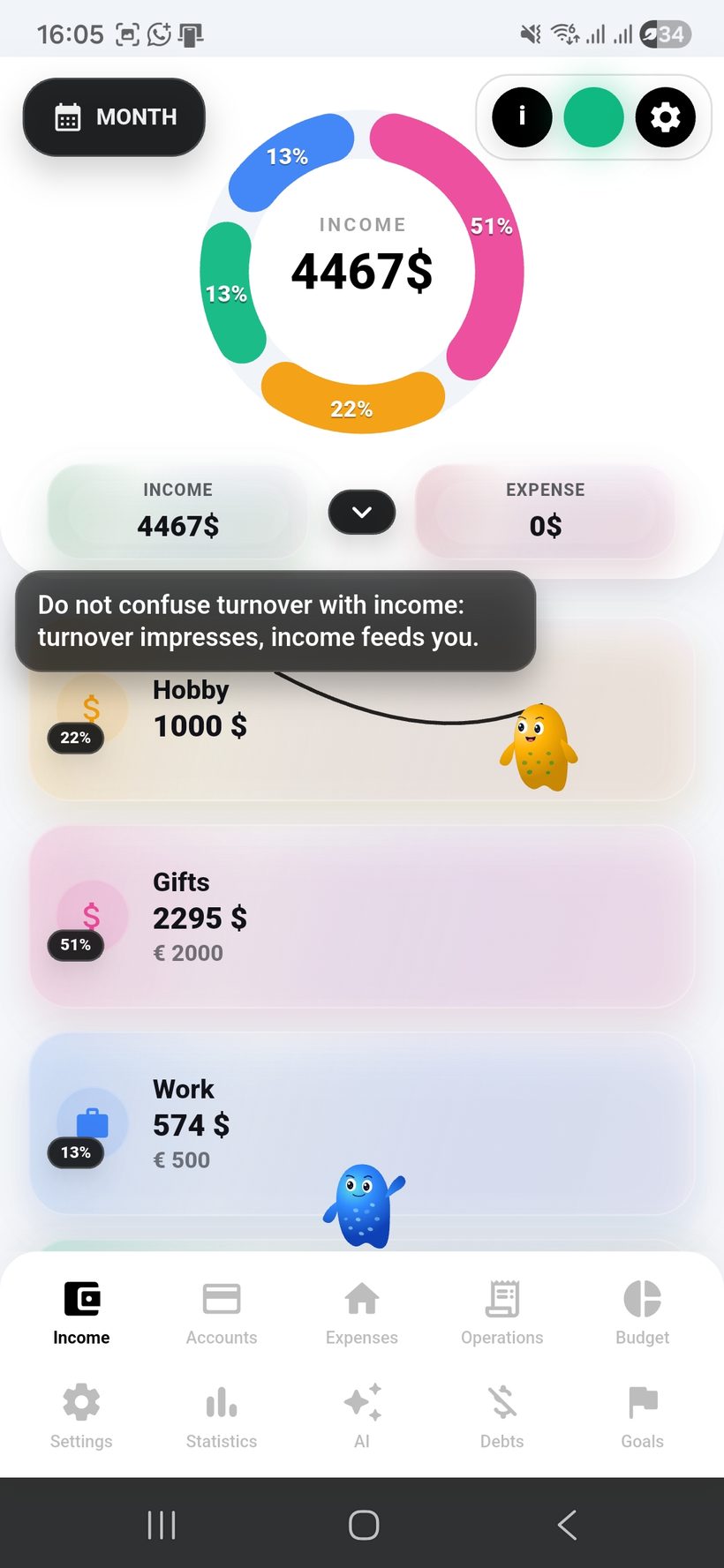
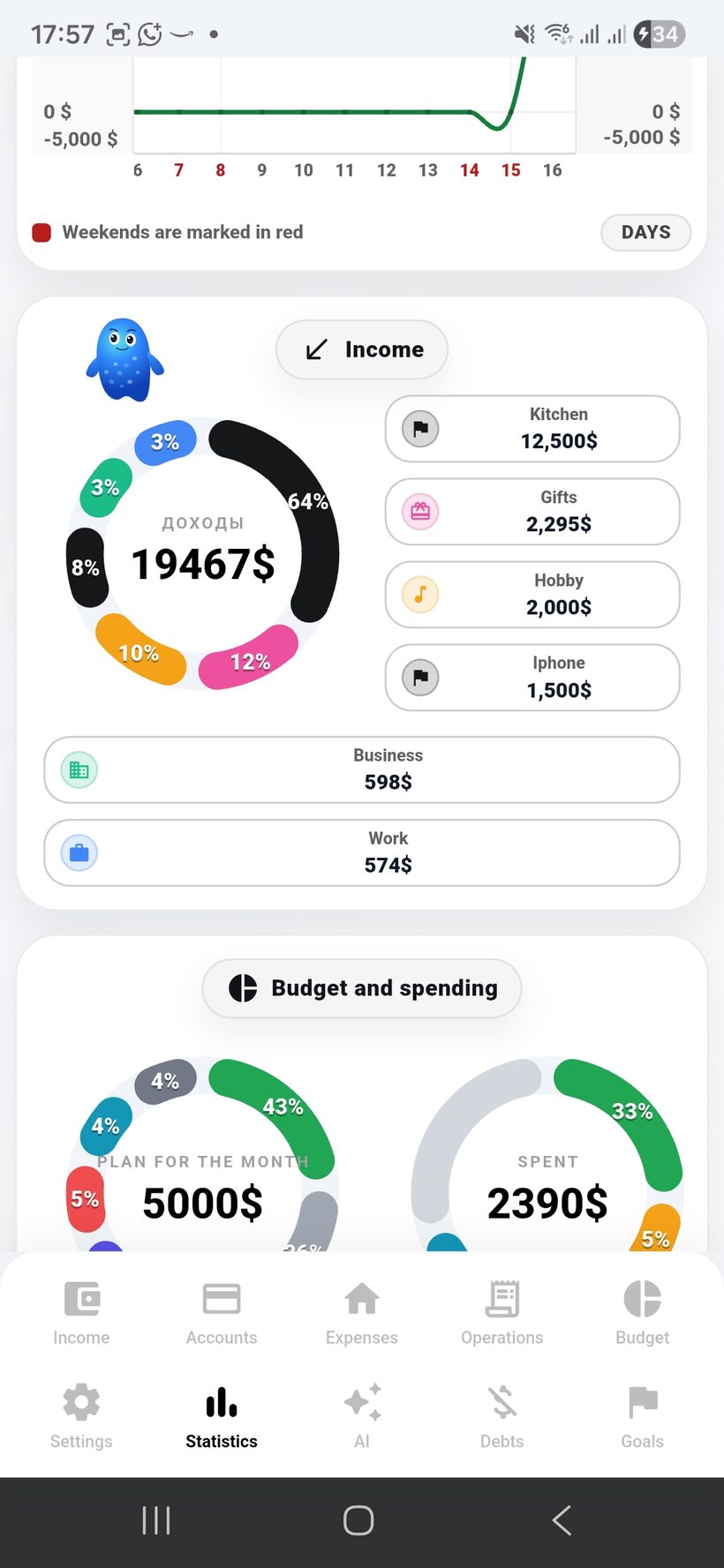
Income in Freelife is added quickly, read instantly, and immediately shows the real structure of your cash flow.

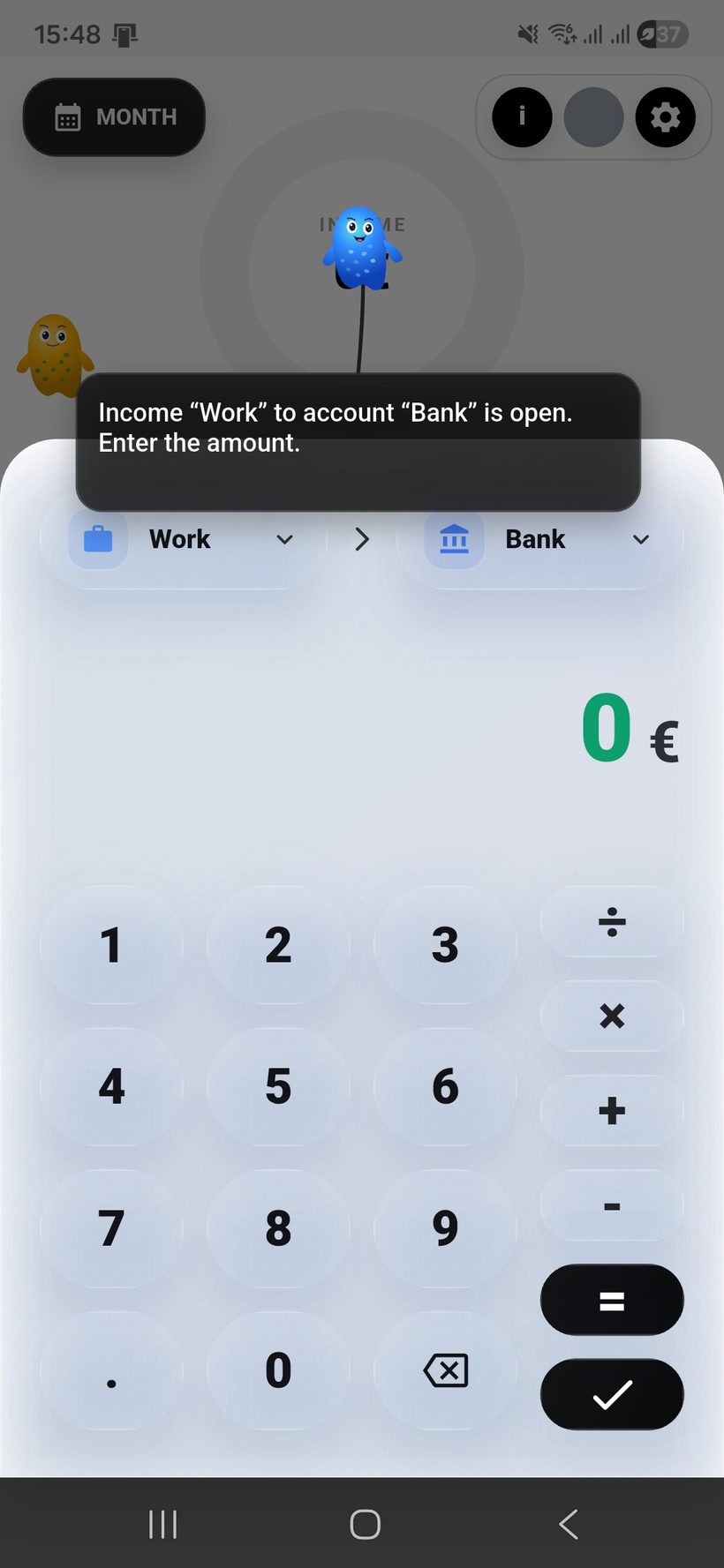
  • Add income in one click — without overloaded forms or unnecessary steps.
  • 🌍
    Multi-currency income: you can track income in the app’s main currency and at the same time mark income in foreign currencies.
  • 💱
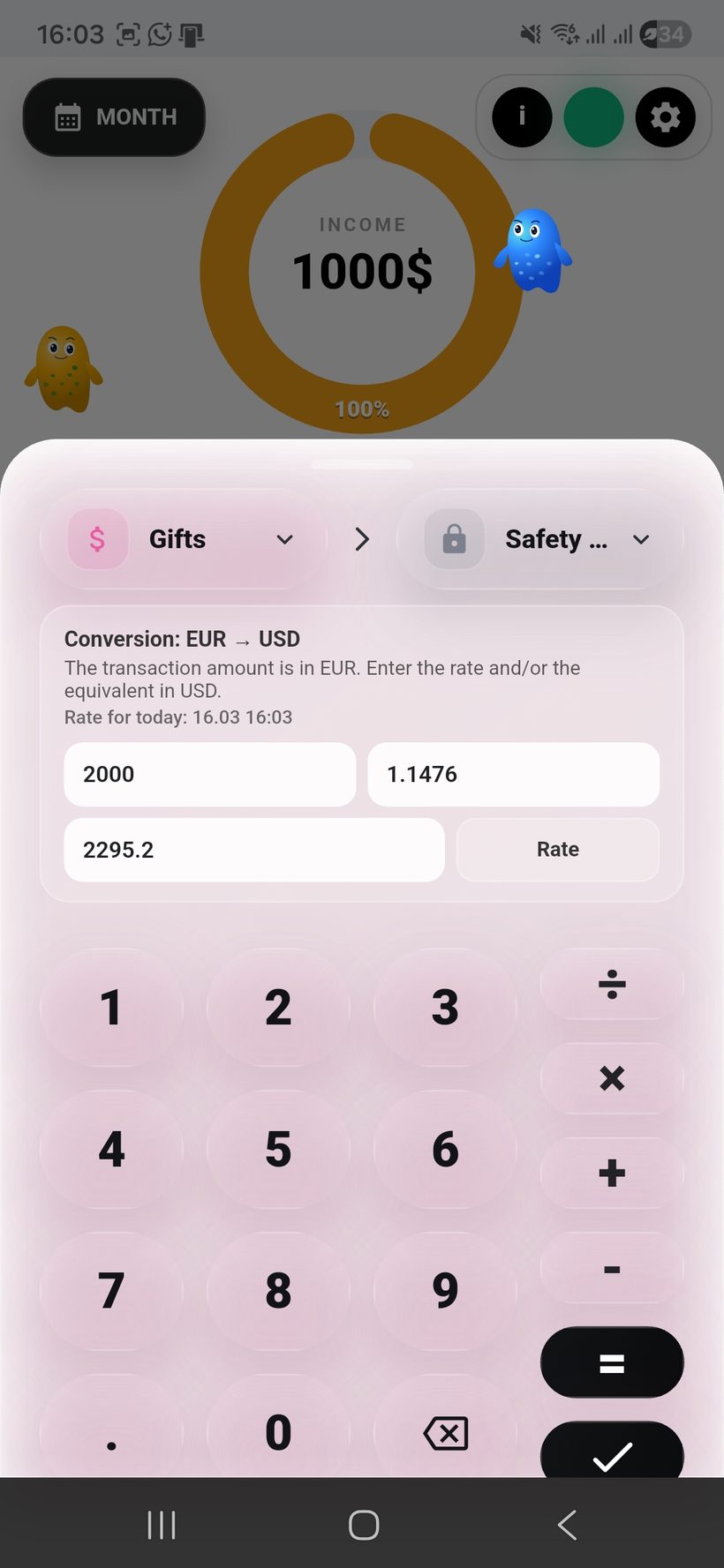
    Auto-conversion at the current live rate or manual exchange-rate entry when you need your own scenario.
  • 🎨
    Full color customization helps adapt cards, categories, and the visual presentation of income to your style.
  • 🗂️
    Income entries use categories and comments so everything stays clear even with a large number of records.
  • 🍩
    The donut chart shows which sources bring more and which bring less in percentage terms.
  • 🧠
    AVA helps you go through setup step by step, while Fortuna suggests how to build a strong and stable income flow.
Section scenario: the user quickly adds income, instantly sees distribution by source, can work with different currencies, and customizes the visuals to fit their style.
Income — screen 1
Income
1
Quick income entry
Show a screen where new income is added literally in one click: amount, source, comment, and save without unnecessary steps.
Scenario
Fast Add
Фокус
1 click
Income — screen 2
FX
2
Multi-currency and conversion
This screen is ideal to show income in another currency, auto-conversion at the live rate, and manual adjustment when you need your own rate.
Rate
Live / Manual
Валюта
Multi FX
Income — screen 3
Style
3
Analytics and customization
This screen is best used to show the income donut chart, source shares, and how colors of categories and cards can be fully customized.
Chart
Share %
Colors
Custom UI

Accounts and the structure of
fund storage

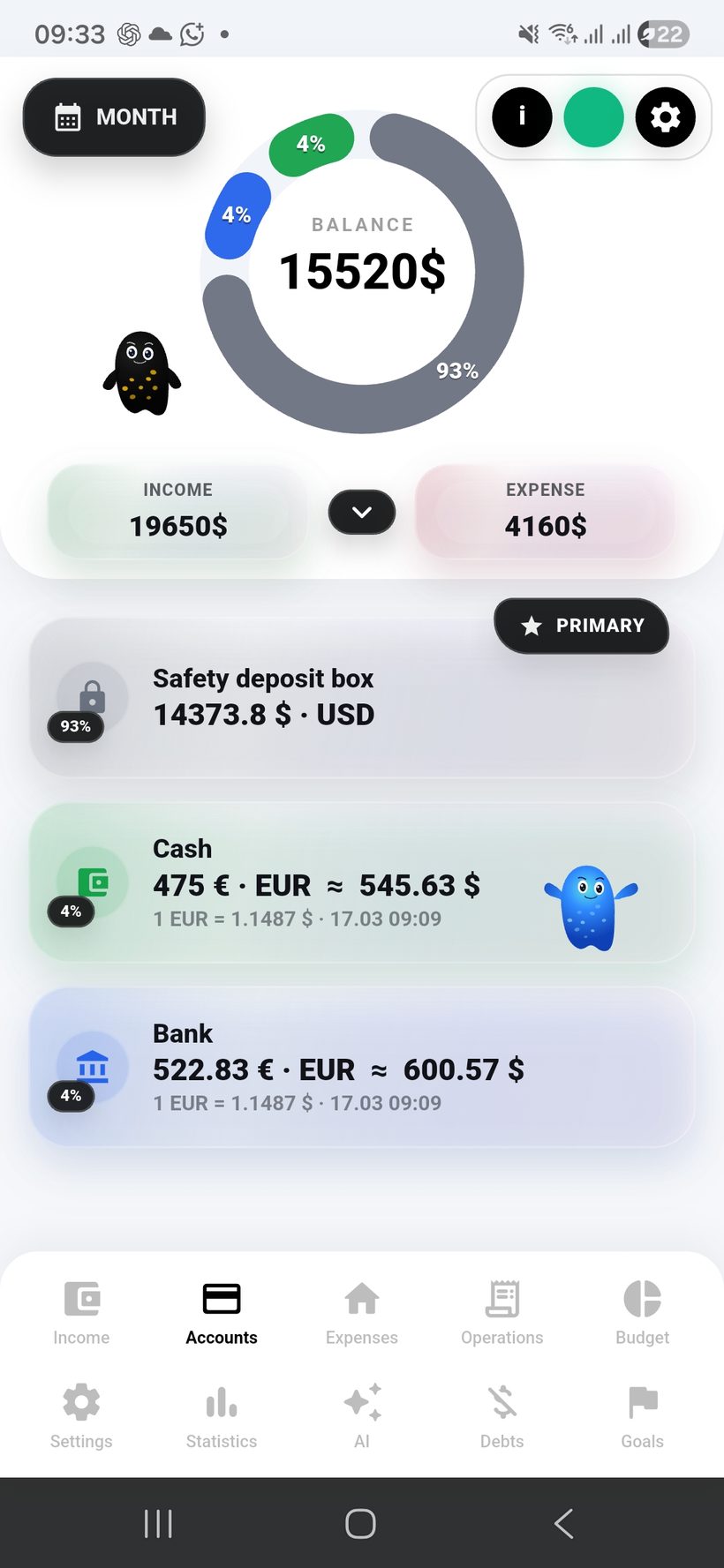
Accounts in the app show the real picture of where money is stored: where the capital sits, in which currency, and how it is distributed across sources.

  • 🏦
    Create as many accounts as you need: cards, cash, savings, and separate storage spaces for different goals.
  • 🪪
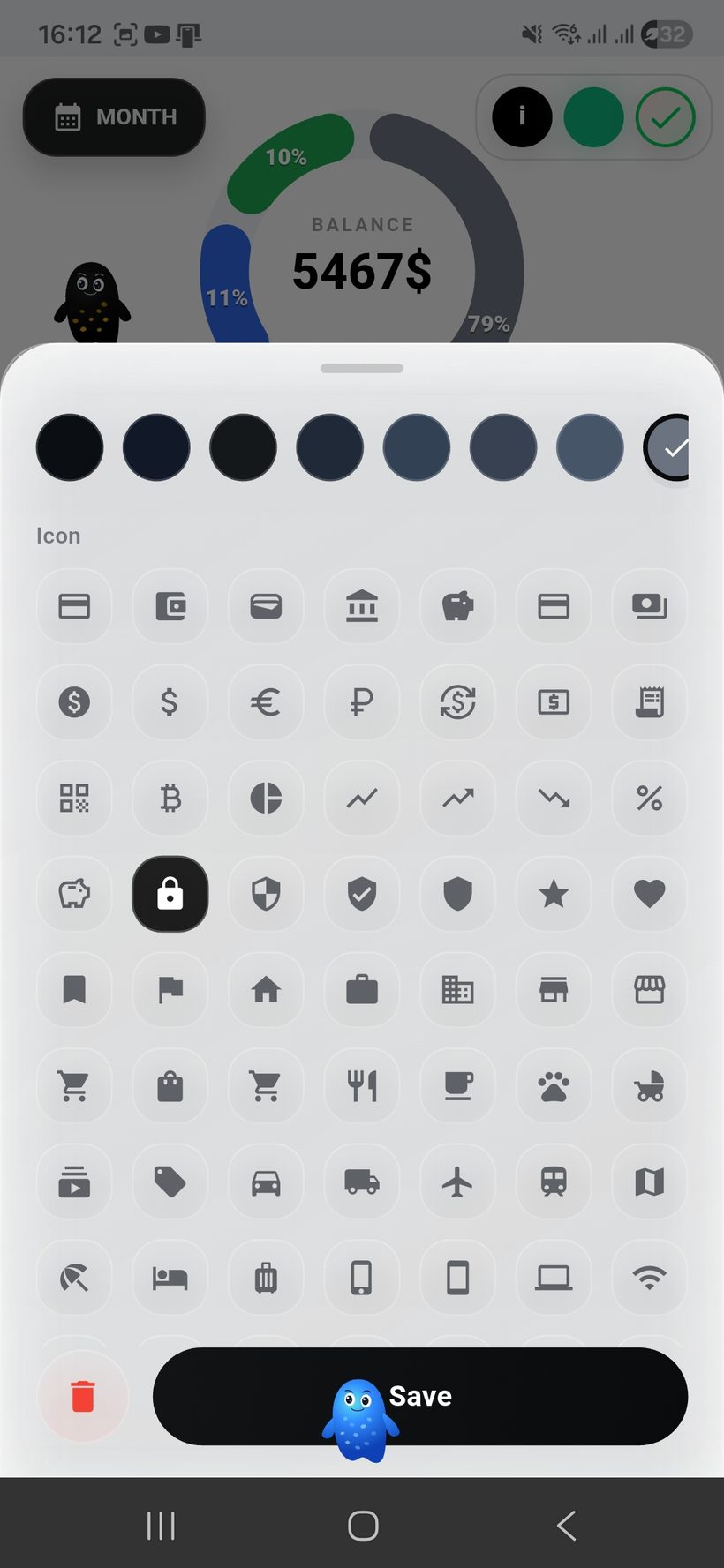
    For each account you can use an avatar, an image, and a more elegant visualization of your storage structure.
  • 🌍
    Accounts in the app currency and multi-currency accounts are supported, with the full picture shown inside one system.
  • 🔄
    If the account is in a foreign currency, the app automatically recalculates balances at the current exchange rate up to three times a day.
  • 🎨
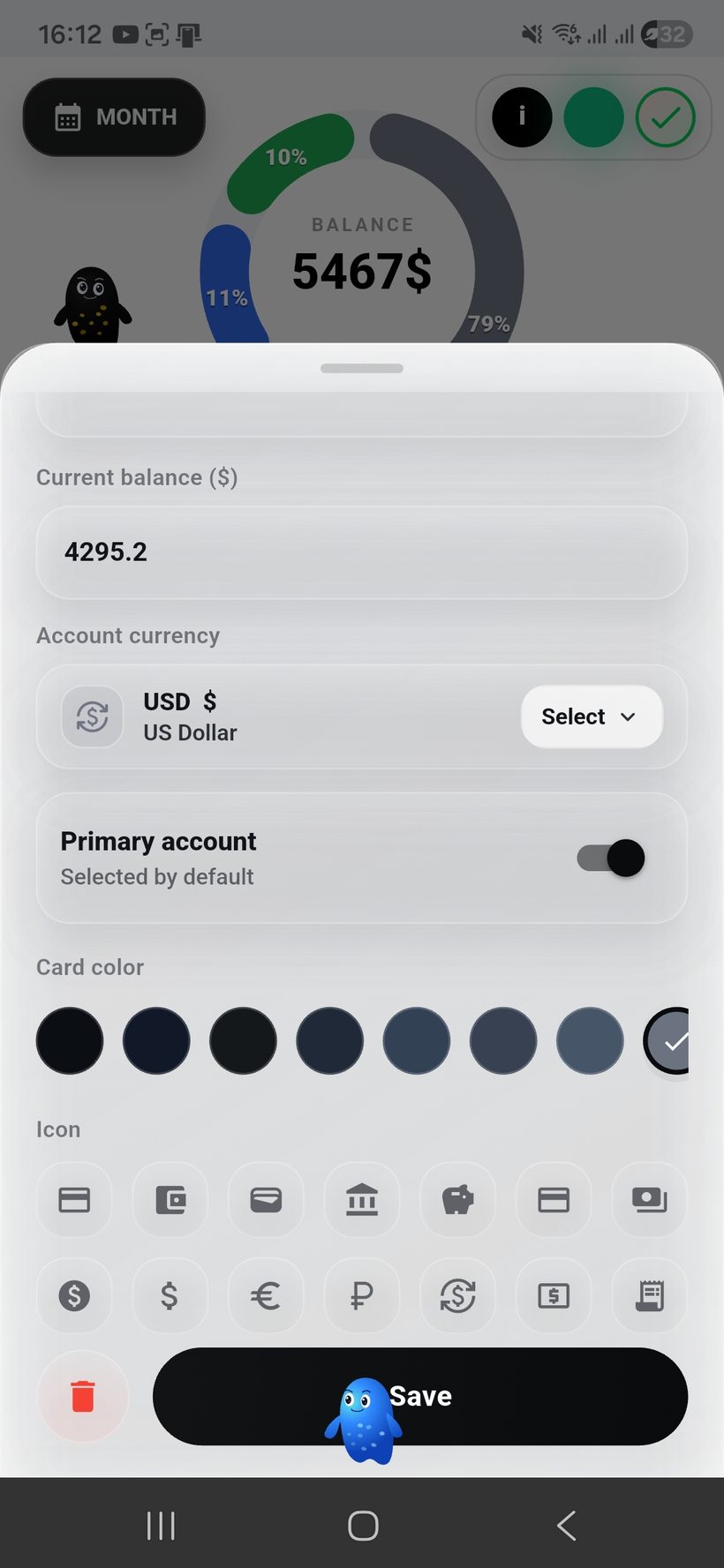
    Account, card, and visual tag colors can be customized so the storage structure is instantly easy to read.
  • 🍩
    The donut chart shows which accounts hold more money and which hold a smaller share as a percentage of all accounts.
  • 🧠
    AVA helps you set up the section quickly, while Rafael suggests how to keep accounts organized and manage them more calmly.
Section scenario: the user sees current balances, a clear storage structure, distribution of funds across accounts, and visually customizes the section to fit their needs.
Accounts — screen 1
Accounts
1
Account list and visual avatars
Ideal for showing beautiful account cards, the balance on each account, and quick access to management.
Style
Cards UI
Фокус
Avatars
Accounts — screen 2
FX Sync
2
Multi-currency accounts
This screen is ideal for showing accounts in different currencies, conversion at the app’s current rate, and updates of the overall picture up to three times a day.
Rate
3× per day
Accounts
Multi FX
Accounts — screen 3
Style
3
Donut chart and customization
This is the best place to show how money is distributed across accounts, where the main capital is stored, and how card and account colors can be customized.
Chart
Balance %
Colors
Custom UI

Расходs and
budget control

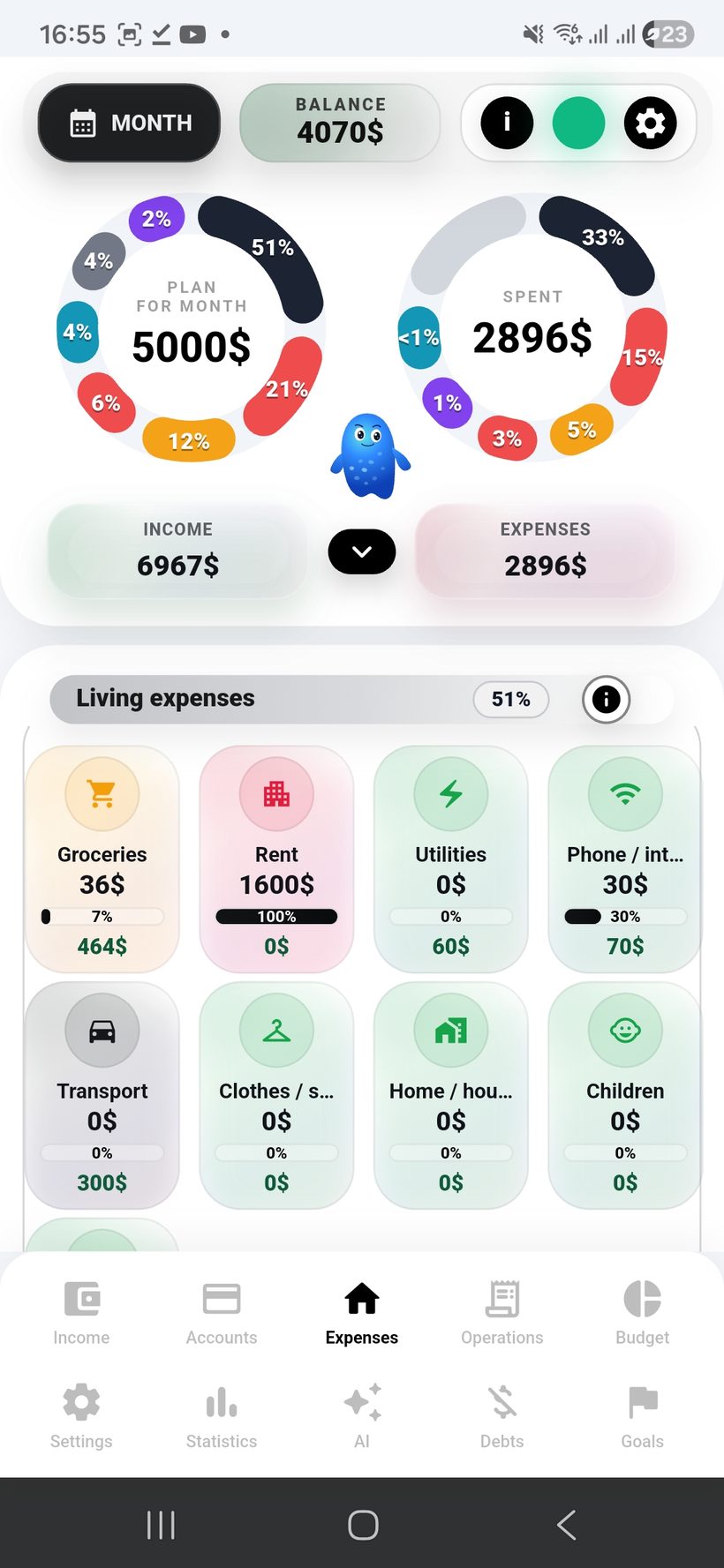
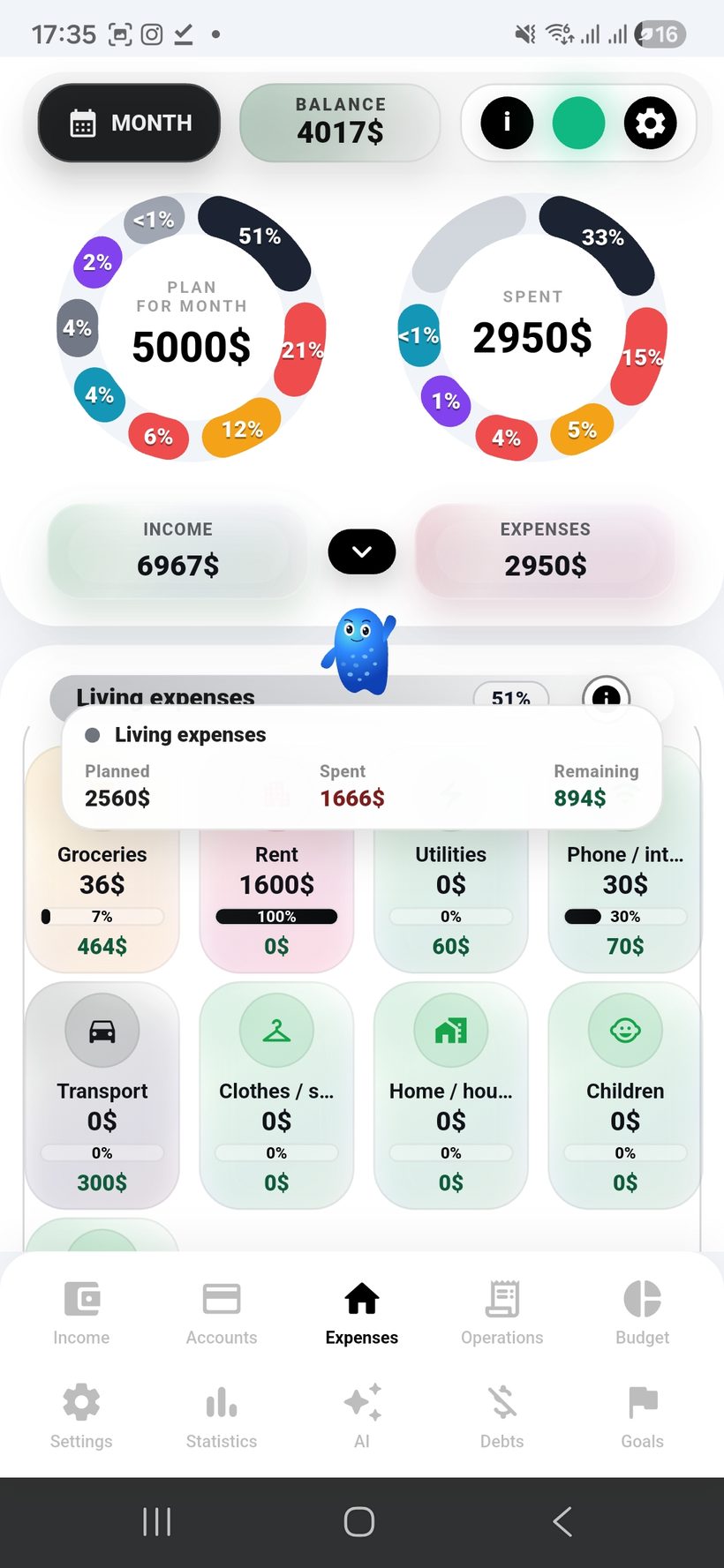
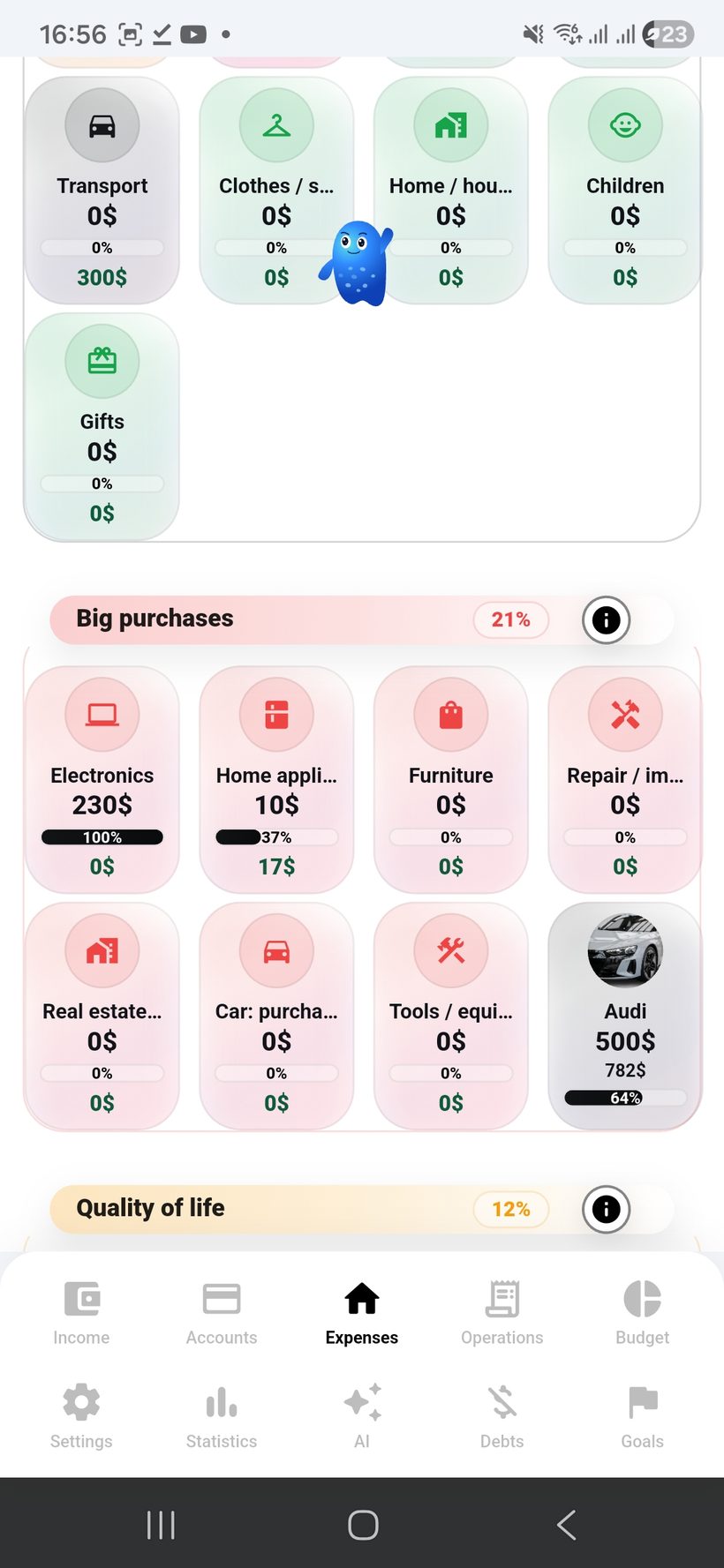
The expenses section is designed for quick expense entry and instant budget control within the current month.

  • Расходs are entered quickly — literally in two clicks, with no complex navigation or extra screens.
  • 🍩
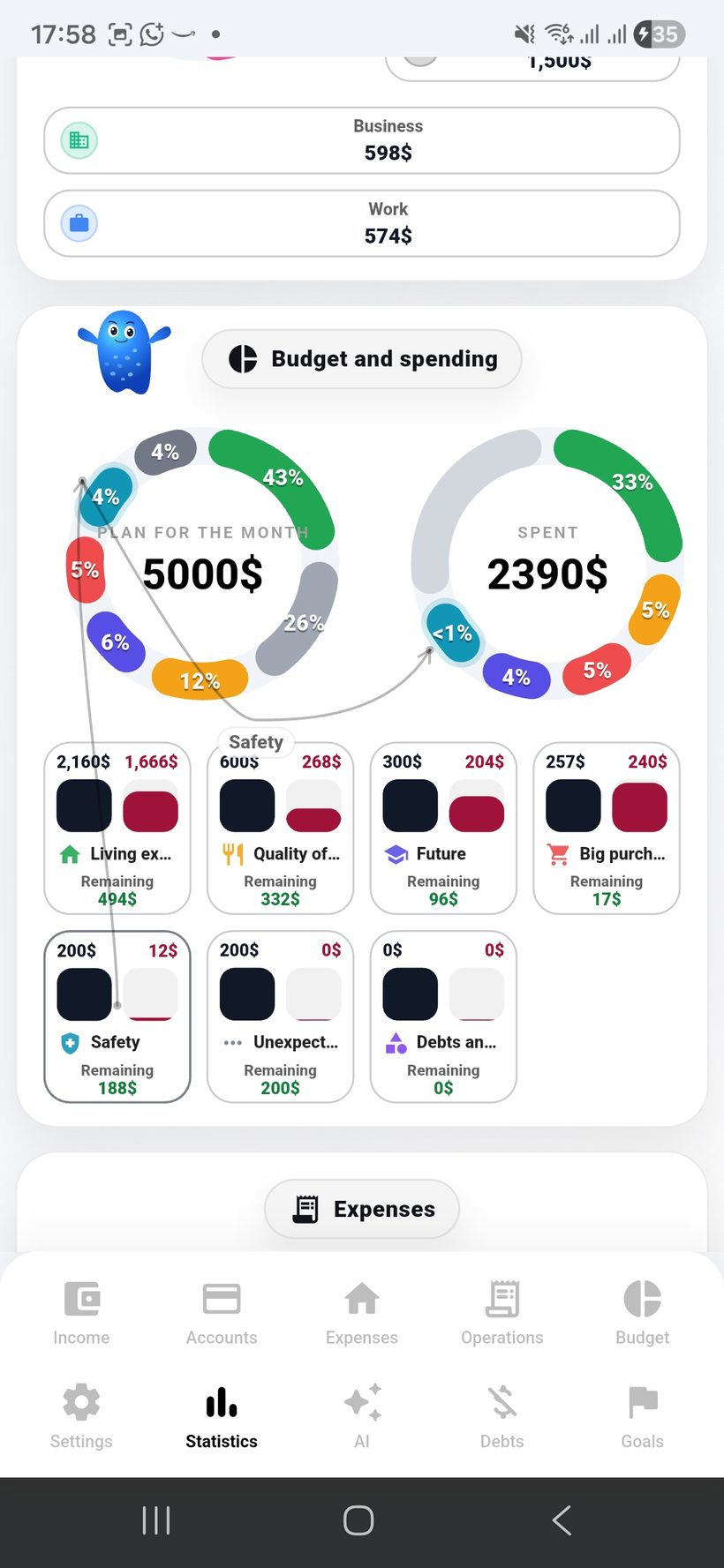
    The donut chart shows budgets by expense groups and immediately reflects what share each spending group takes.
  • 📅
    In real time you can see how much has been spent this month compared to the planned budget.
  • 📏
    For each group you can always see how much was planned, how much has already been spent, and how much remains available.
  • 🪪
    Расход cards are designed clearly: you can see the usage percentage, the total amount spent, and the remaining limit.
  • 🎨
    The colors of the app, expense cards, and groups can be fully customized to match your personal style.
Section scenario: the user quickly adds an expense, immediately sees the category share on the chart, and understands whether it goes beyond the budget this month.
Расходs — screen 1
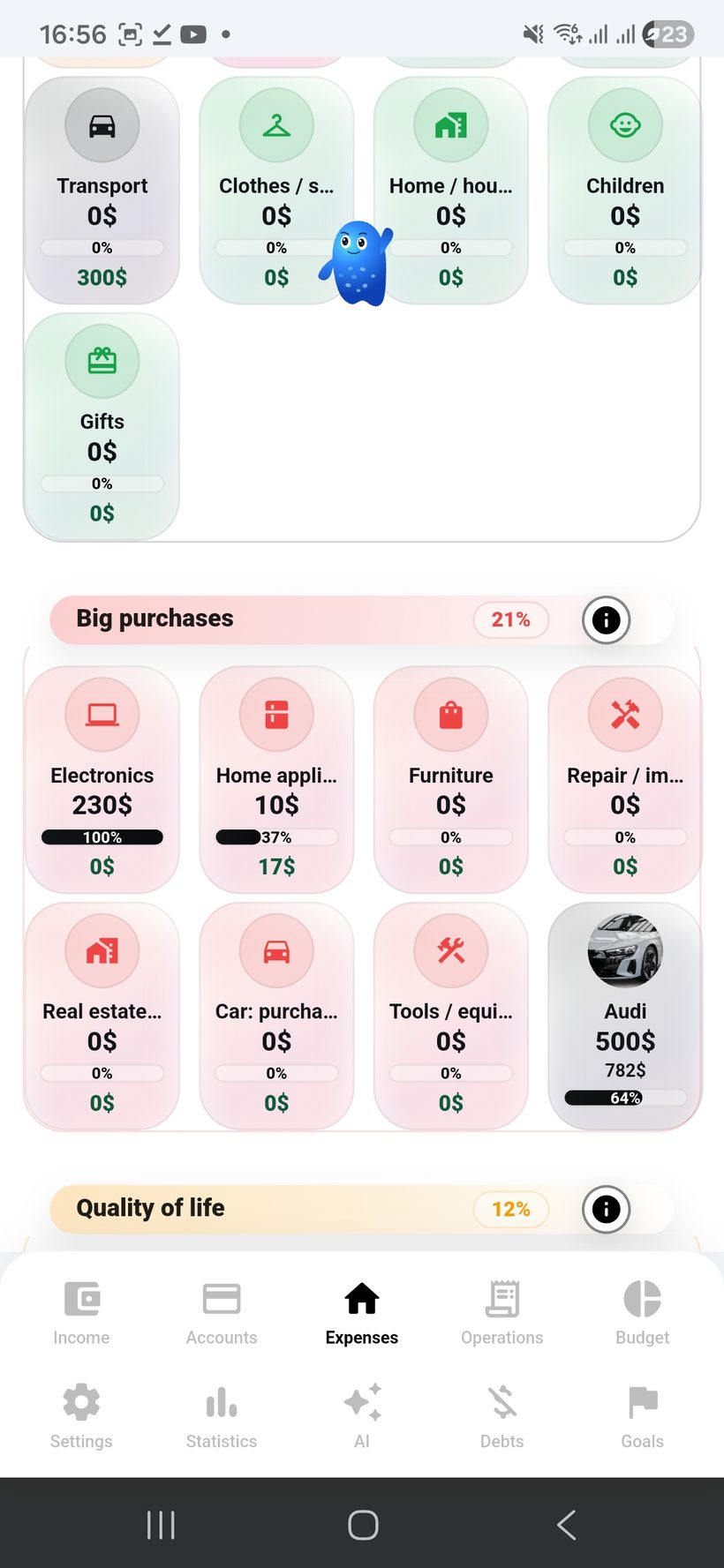
Spend
1
Quick expense entry
This is the best place to show the “two-click” flow: amount, group, comment, and instant saving of the transaction.
Scenario
2 Clicks
Фокус
Speed
Расходs — screen 2
Chart
2
Budget donut chart
Good for demonstrating how expense groups are distributed and what share each of them has already taken in the overall spending structure.
Chart
Budget %
Month
Live
Расходs — screen 3
Month
3
Spent vs planned
This frame is ideal for showing how much has already been spent this month and how close that is to the planned budget limit.
Control
Spent / Plan
Период
Monthly
Расходs — screen 4
Cards
4
Расход group cards
Here you can show cards where the planned amount, already spent amount, remaining balance, and usage percentage for each group are visible.
Cards UI
Group UI
Left
Left
Расходs — screen 5
Style
5
Personal colors and customization
This screen is best for showing how the colors of expense cards, groups, and the app’s overall visual system can be fully customized.
Colors
Custom UI
Benefit
Фокус

Transactions and
recurring payments

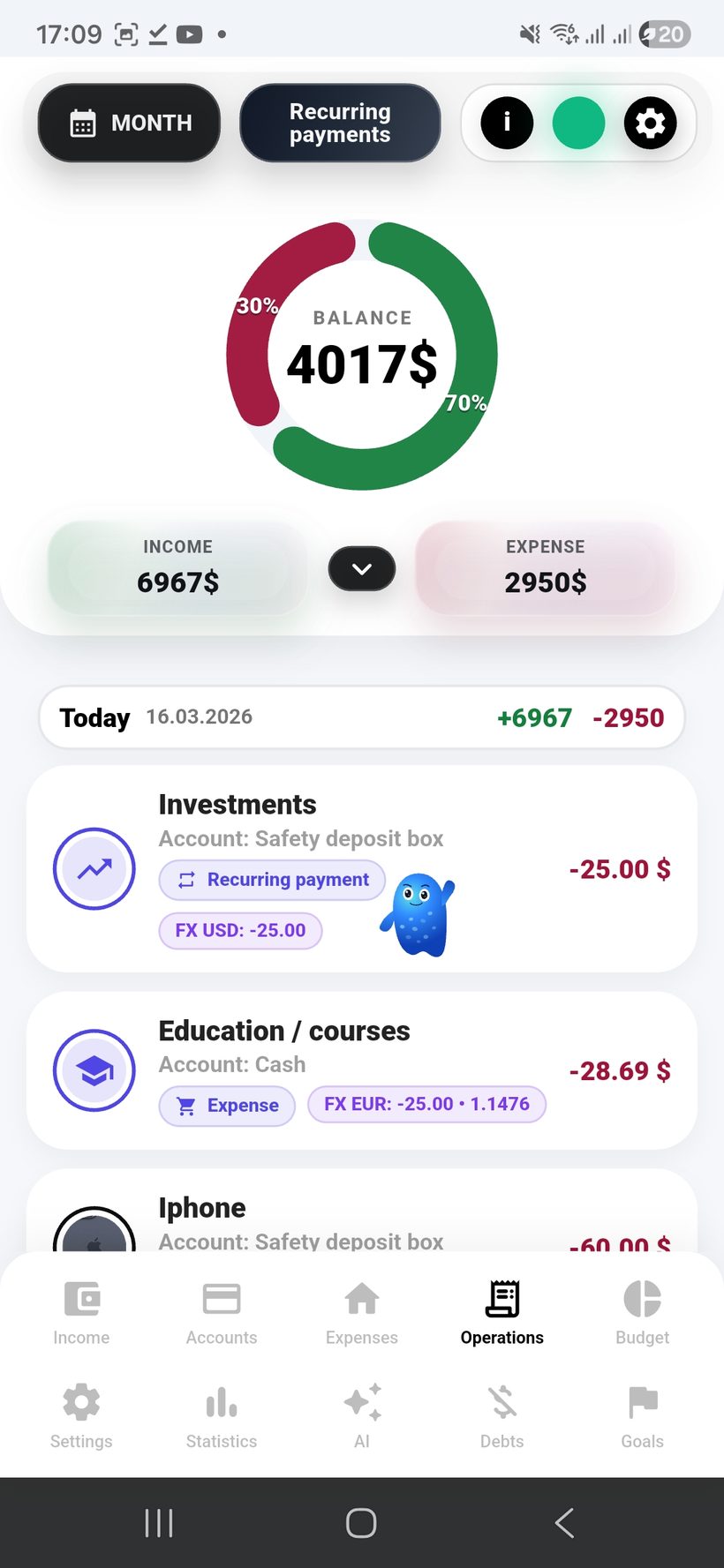
The transactions section shows the full path of money: regular debits, multi-currency operations, and automatic recurring payments.

  • 🧾
    The history shows regular transactions, their amounts, comments, and overall context without an overloaded interface.
  • 💱
    Multi-currency transactions are displayed with the current exchange rate at which they were processed.
  • 🏦
    You always see which account the debit came from and in which currency it was executed.
  • ♻️
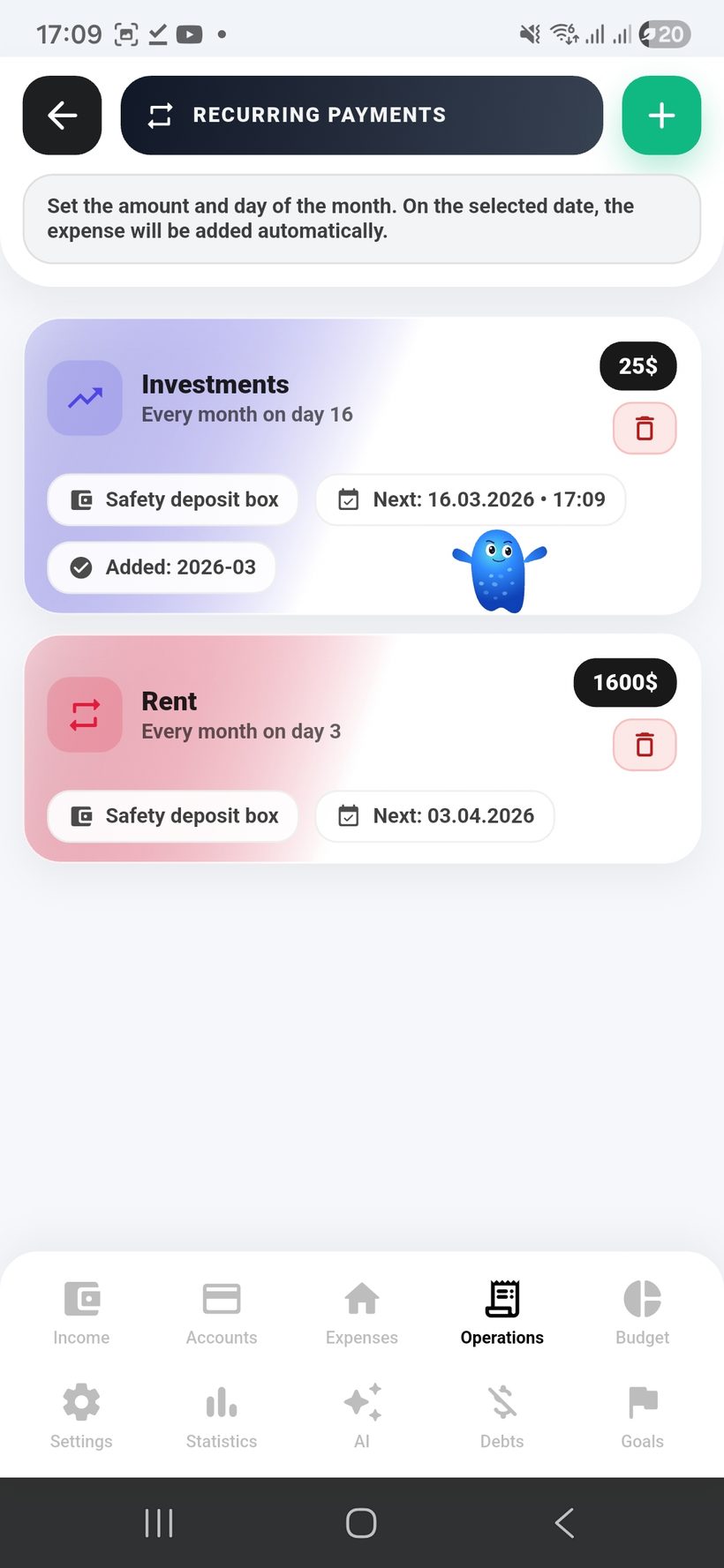
    Recurring payments can be configured by debit day and time in one clear flow.
  • 🌍
    If a payment comes from a foreign-currency account, the current live rate is pulled at the moment of debit and saved in the transaction.
  • ✏️
    The transaction rate can always be adjusted manually if you need your own conversion scenario.
  • 🗂️
    All recurring payments are collected in a single hub where you can easily manage them and track statuses.
Section scenario: the user sees where a transaction came from and at what rate it was processed, while recurring payments are scheduled by time and controlled from one shared menu.
Transactions — screen 1
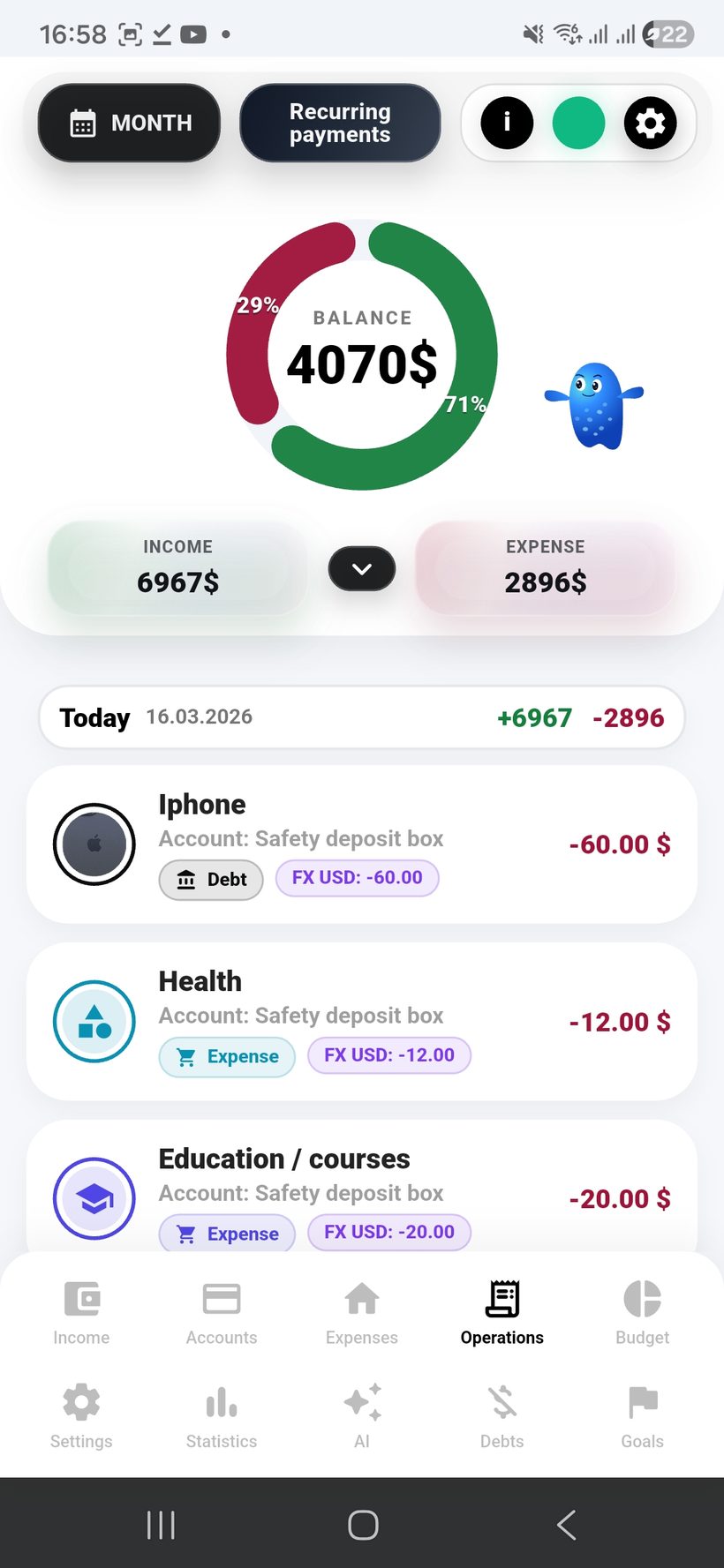
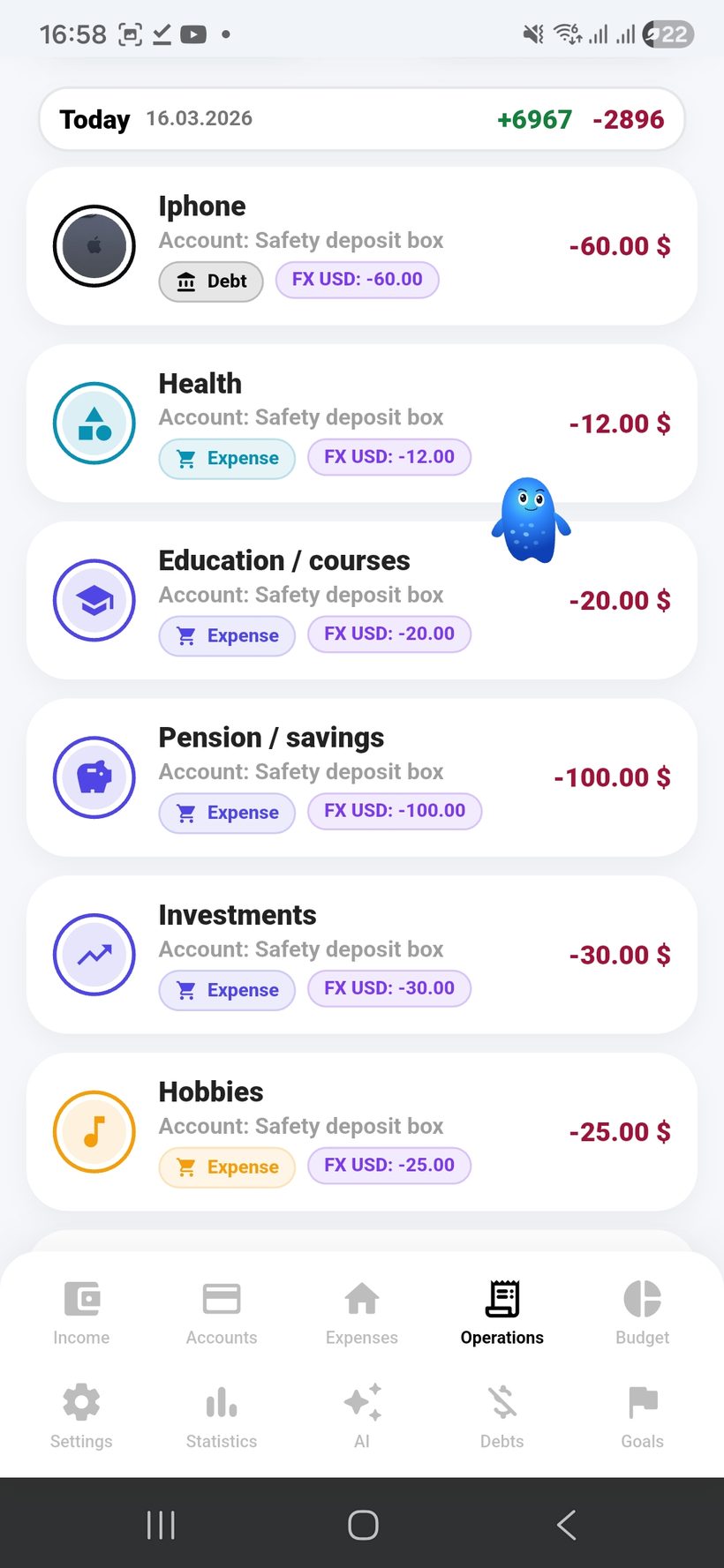
List
1
Transaction feed
Good for showing the overall transaction history: regular expenses, amounts, comments, and quick detail viewing.
History
All Ops
Фокус
Timeline
Transactions — screen 2
FX
2
Multi-currency transactions
This is the best place to show a transaction in the account currency and the app currency so the final conversion is visible.
Currencies
2 FX
Rate
Live
Transactions — screen 3
Rate
3
Transaction exchange rate
This screen is ideal for showing the rate at which the transaction was processed and how that rate can be corrected manually if needed.
Rate
Editable
Accuracy
Control
Transactions — screen 4
Account
4
Debit from a specific account
Good for demonstrating how a transaction is linked to an account and immediately shows the source of the debit.
Source
Linked
Balance
Sync
Transactions — screen 5
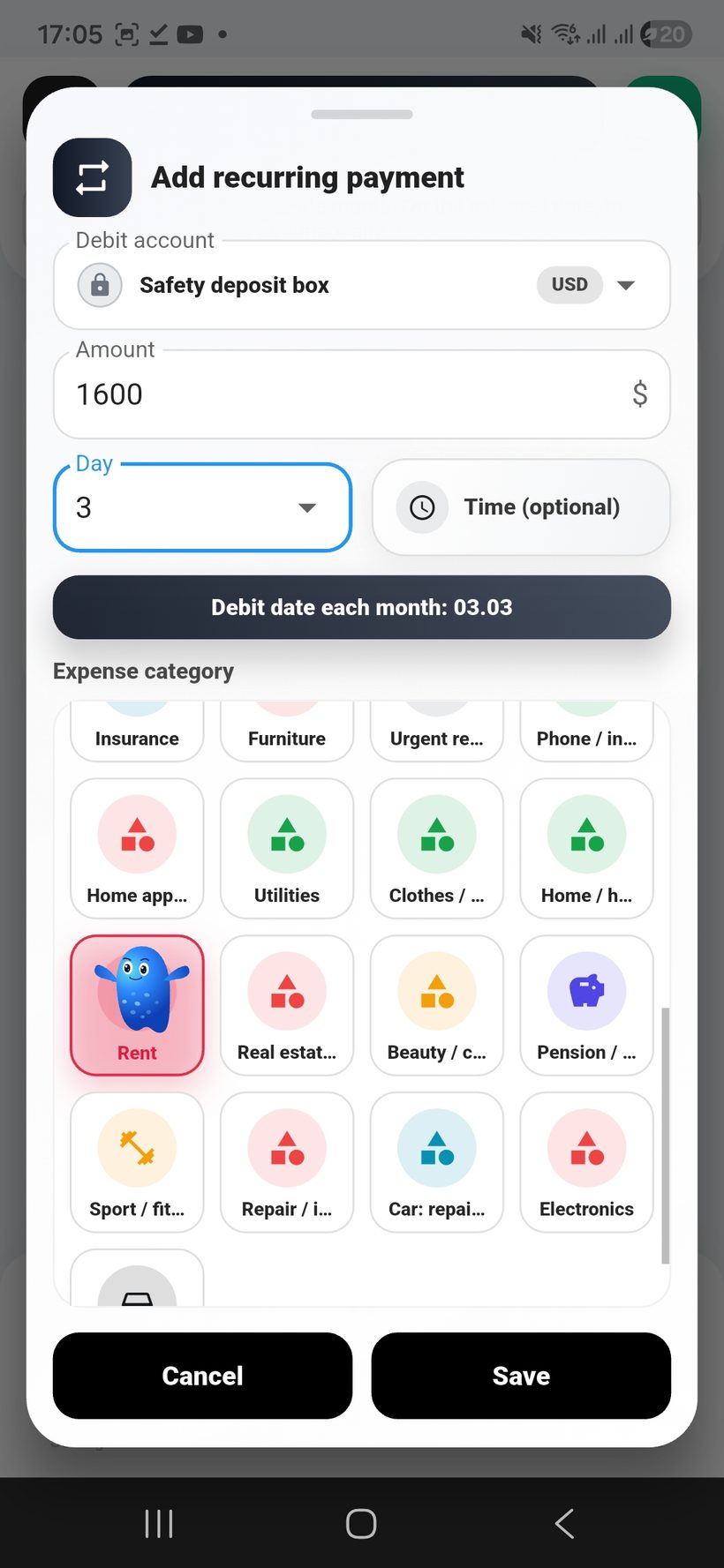
Repeat
5
Create recurring payment
This is the best place to show a simple recurring-payment creation flow with amount, account, and basic settings.
Scenario
Recurring
Form
Simple
Transactions — screen 6
Time
6
Day and time setup
This frame is ideal for showing the choice of debit day and exact time so recurring operations are fully controllable.
Schedule
Day + Time
Flexibility
Easy Setup
Transactions — screen 7
Menu
7
Recurring payments hub
The final screen can be used to show the full list of recurring payments, their statuses, and convenient control in one place.
Menu
All Recurring
Control
Status

AI budget planning

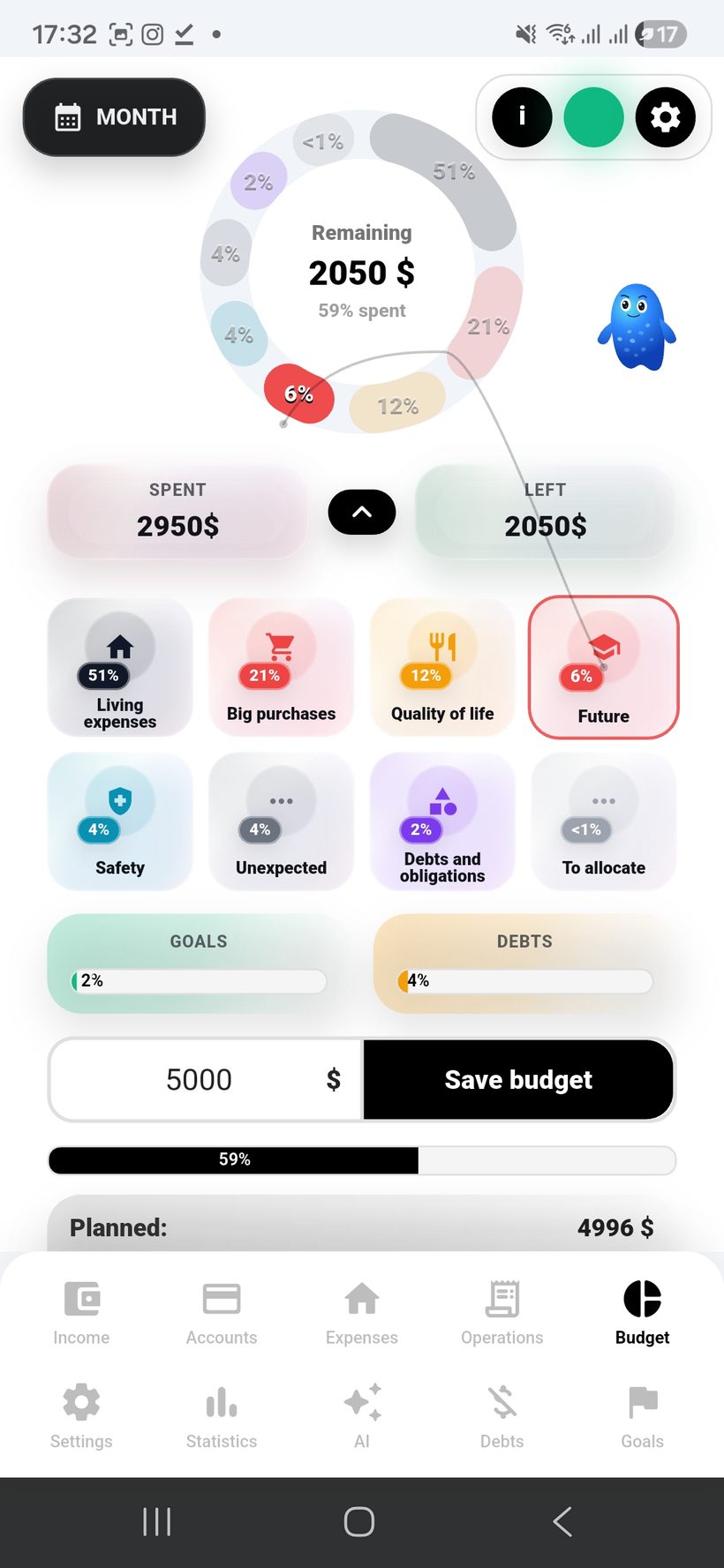
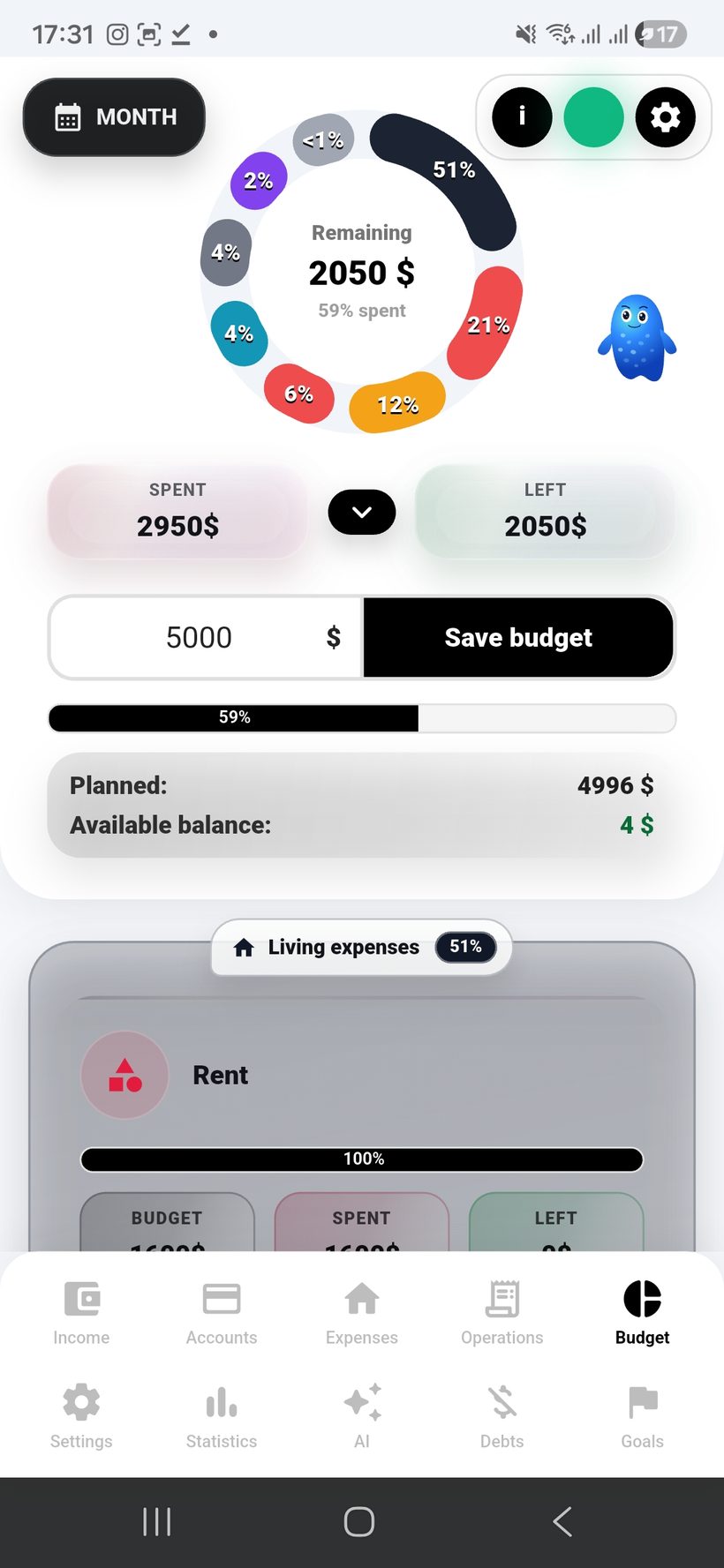
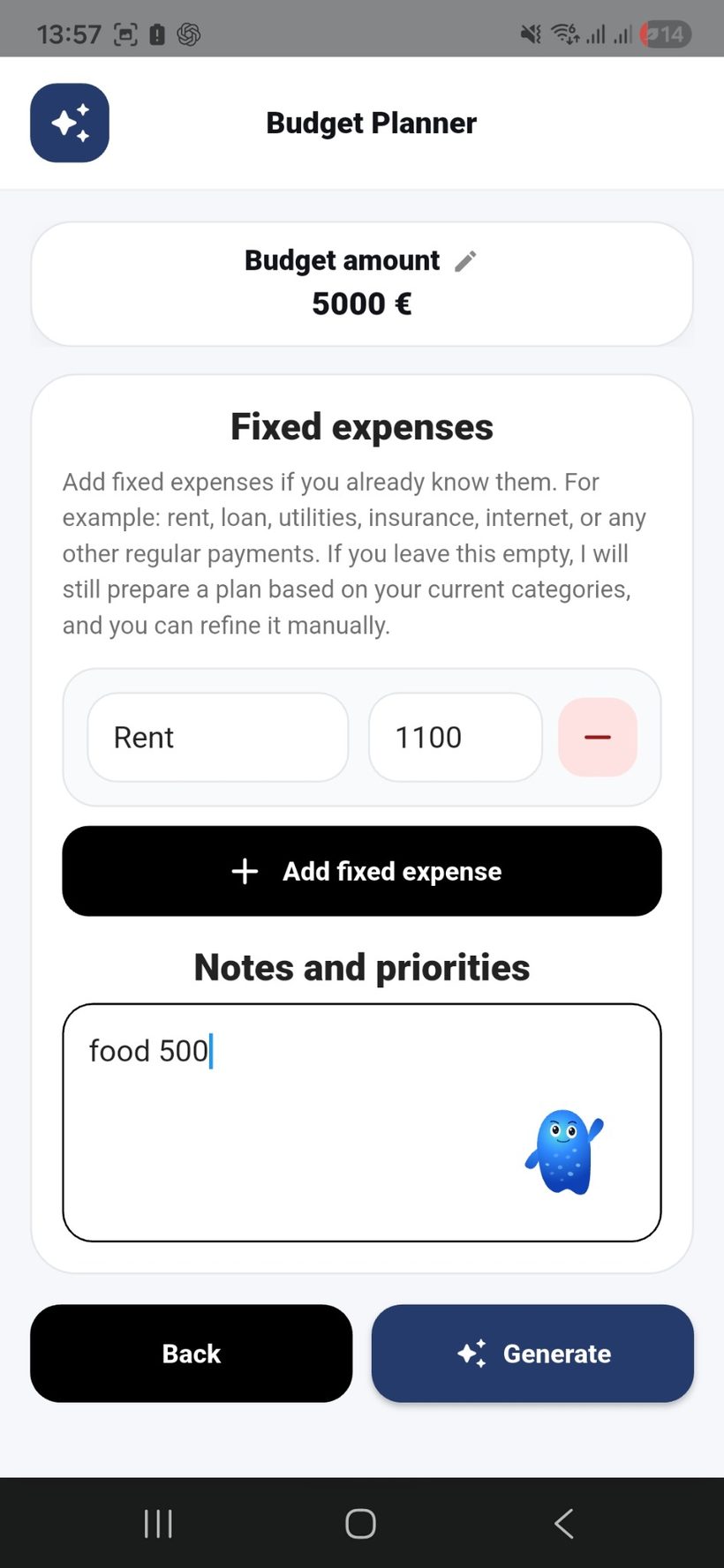
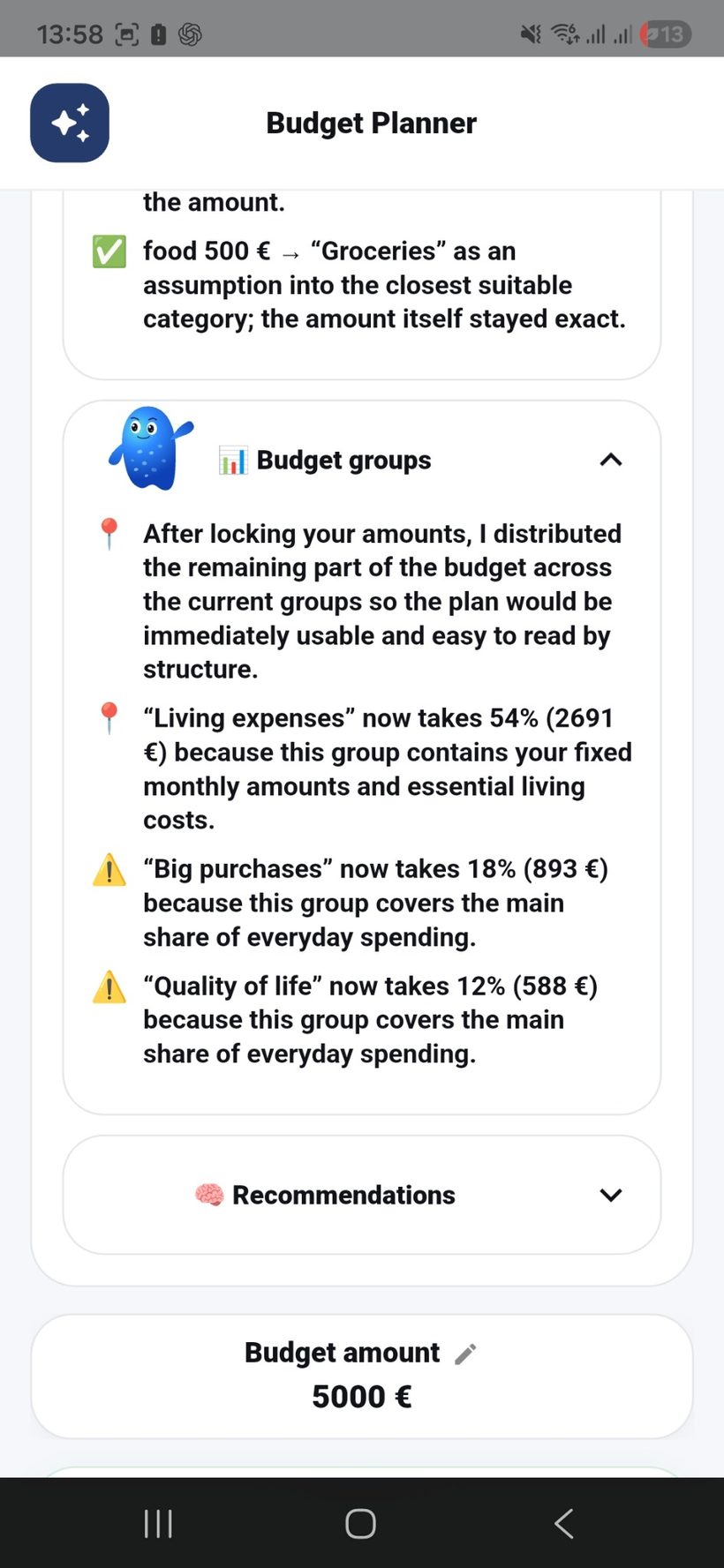
Freelife combines group budgeting with AI planning: the app analyzes your income, spending rhythm, goals, and debts, suggests a monthly budget distribution, and helps you adjust it every month.

  • 🧩
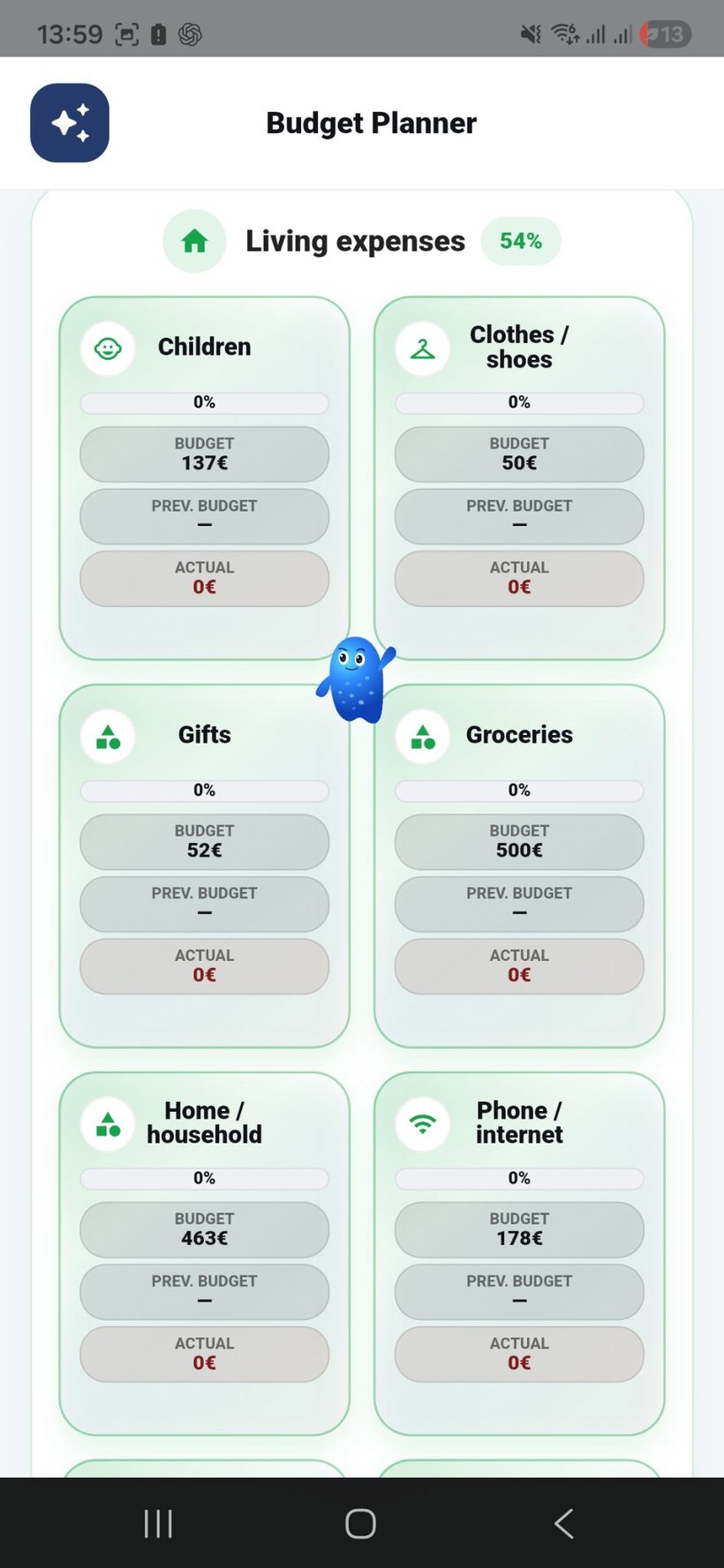
    Create budget groups by combining different expenses so the overall structure stays clear and manageable.
  • 🧠
    AI budget planning helps distribute monthly income across expenses, goals, and debt payments based on your financial rhythm and priorities.
  • Set limits in two clicks and instantly see planned, spent, and remaining amounts for each expense or category.
  • 🍩
    The donut chart shows the shares of budget groups, so you immediately see where most of the budget goes.
  • 📊
    For each expense you can see budget, spent, remaining, and current progress right in the settings.
  • 📅
    Each month you can rerun the AI analysis, adjust the plan to real life, and keep your budget within realistic limits.
Section scenario: the user launches AI budget planning, gets a suggested monthly distribution, adjusts it to real life, and refines the plan every month based on actual spending.
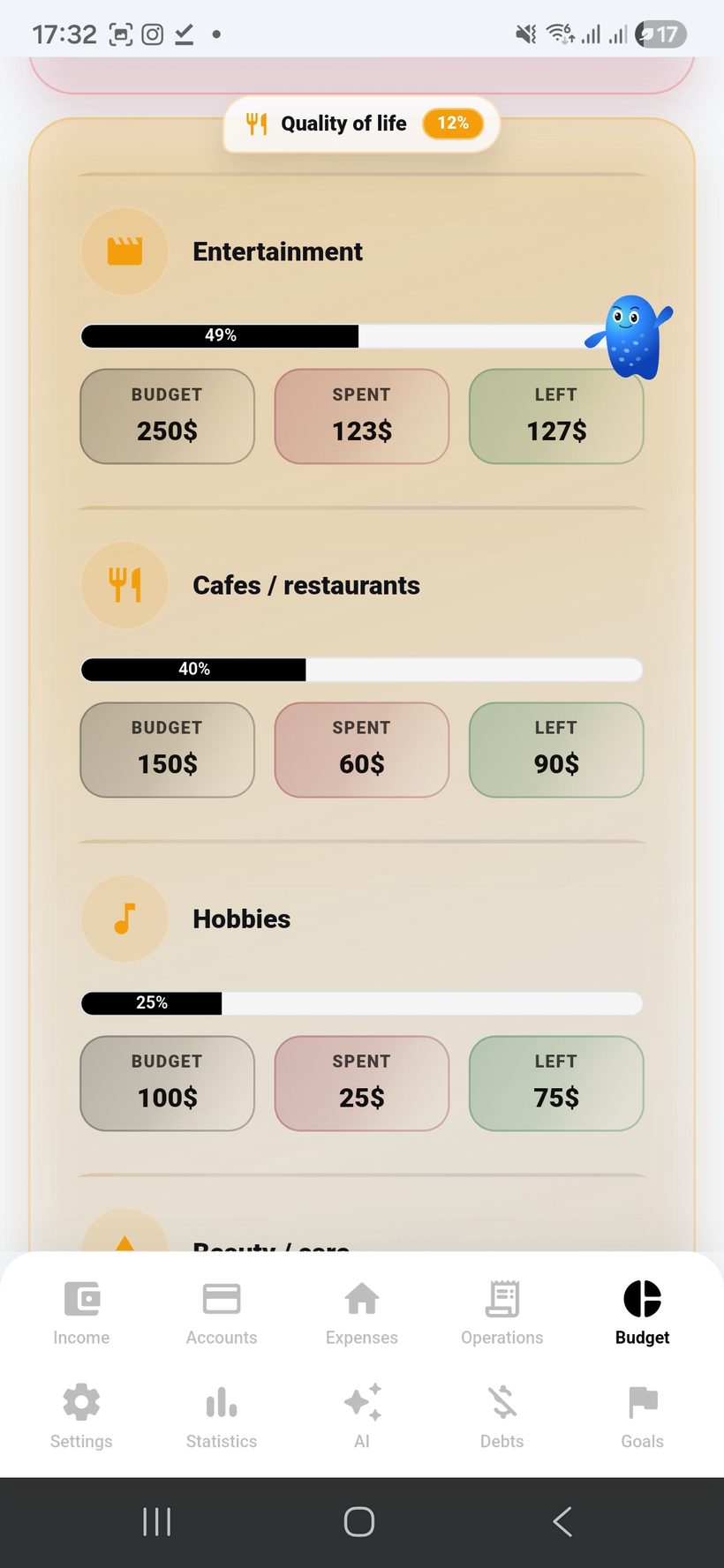
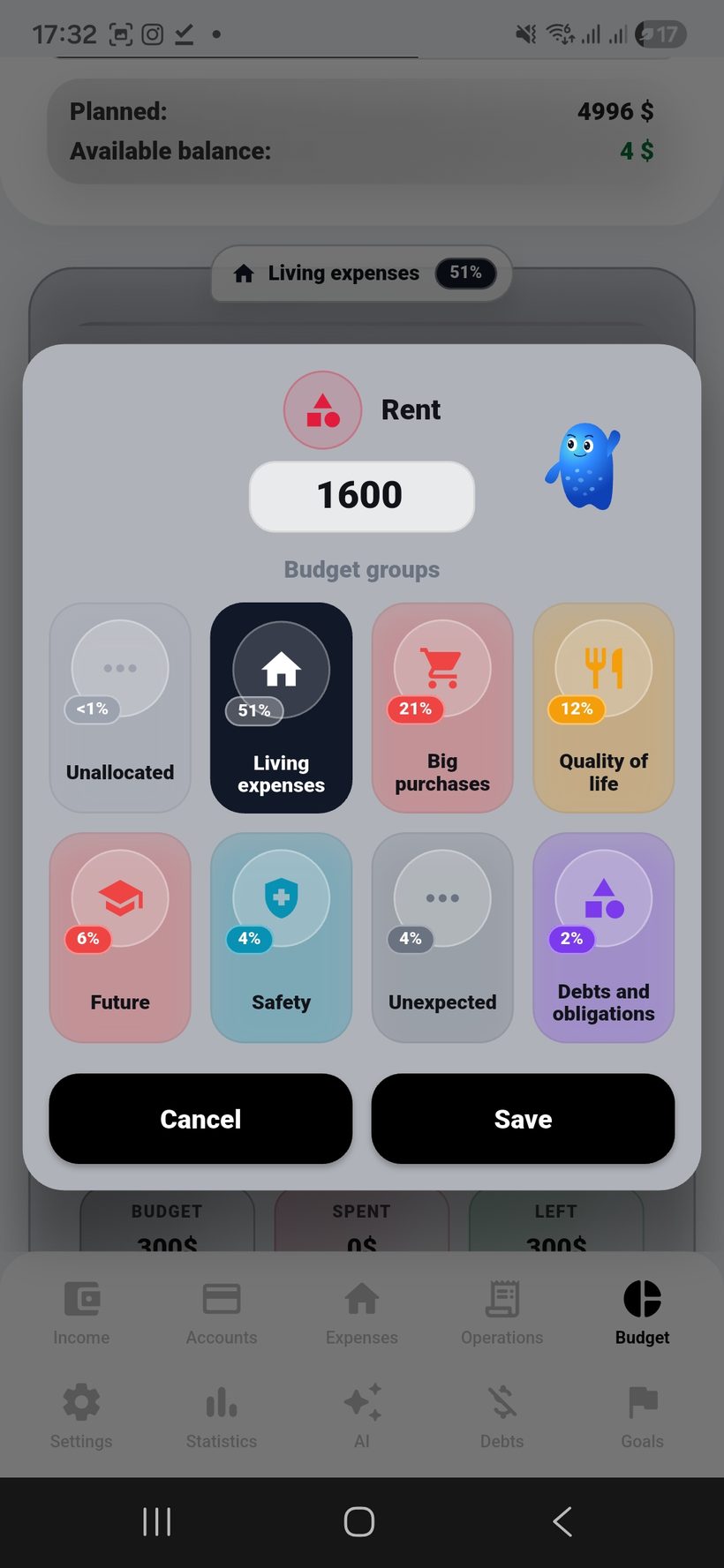
Budget — screen 1
AI Plan
1
Groups and AI planning
Show the screen where budget groups are created and AI helps distribute the monthly amount across expenses, goals, and debt payments.
Structure
Groups
Focus
AI plan
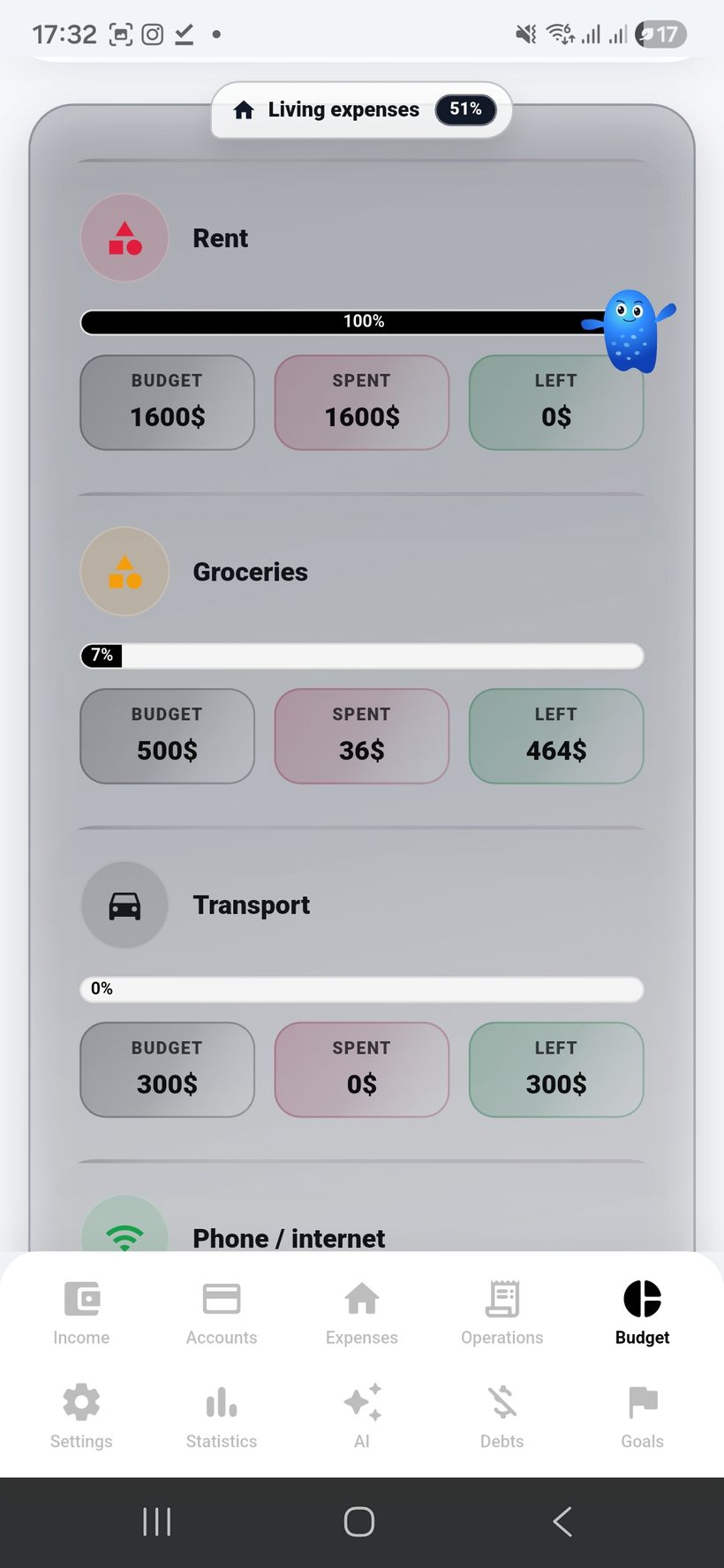
Budget — screen 2
Budget
2
AI suggestion and limits
Here it is best to show how AI suggests a budget and the user immediately sees planned, spent, and remaining amounts for each expense.
Scenario
Fast setup
Control
Plan vs fact
Budget — screen 3
Donut
3
Budget structure on the donut chart
This is a good place to show the overall budget and the shares of groups — what takes the most and what takes less.
Chart
Budget %
Month
Shares
Budget — screen 4
Control
4
Planned / spent / remaining
This frame is ideal for showing cards or a table with budget, spent, remaining, and progress for each expense inside a group.
Cards UI
Limits
Percentage
Progress
Budget — screen 5
Goals & Debts
5
Goals, debts, and monthly correction
Show how goals and debt payments are included in the monthly budget and how AI analysis can be rerun every month to refine the plan.
Goals
Monthly
AI
AI recheck
Budget — screen 6
Budget
6
Budget screen 6
Additional AI budget planning screen from the archive.
Screen
06
Mode
Budget
Budget — screen 7
Budget
7
Budget screen 7
Additional AI budget planning screen from the archive.
Screen
07
Mode
Budget
Budget — screen 8
Budget
8
Budget screen 8
Additional AI budget planning screen from the archive.
Screen
08
Mode
Budget
Budget — screen 9
Budget
9
Budget screen 9
Additional AI budget planning screen from the archive.
Screen
09
Mode
Budget

Goals, progress
and motivation

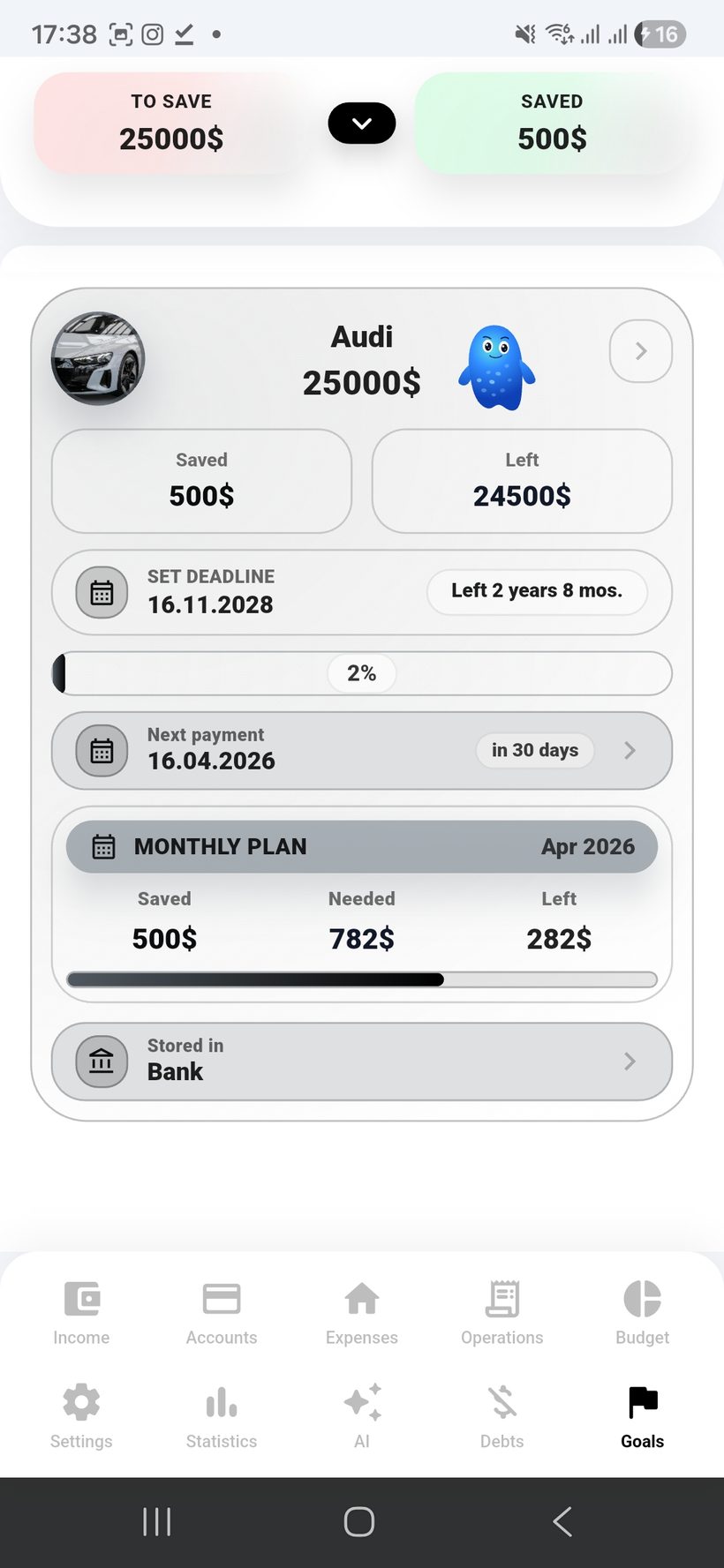
Goals help turn plans into results: you set the amount and saving pace and immediately see the target date and progress.

  • 🖼️
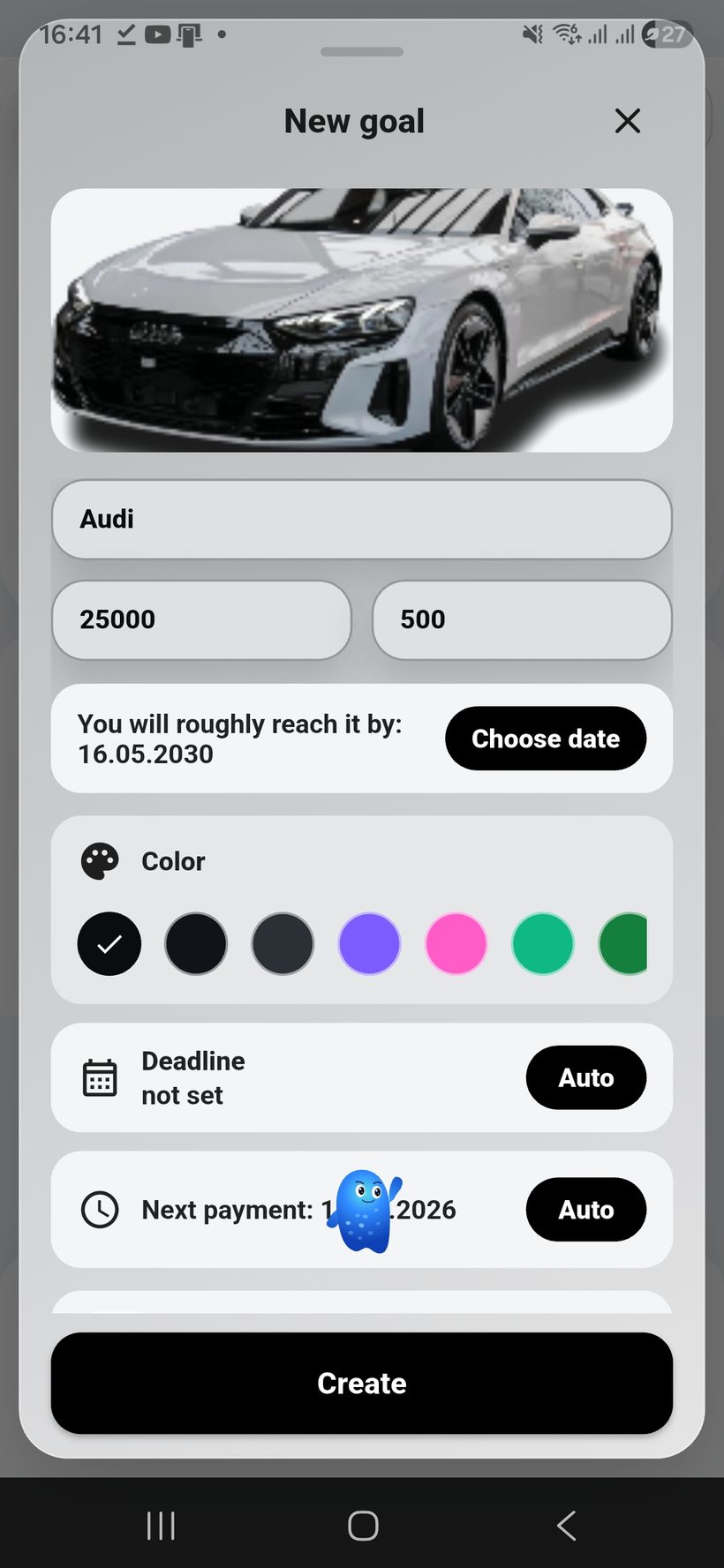
    Create a goal in 2–3 clicks: goal photo, amount, and basic settings without unnecessary steps.
  • 🗓️
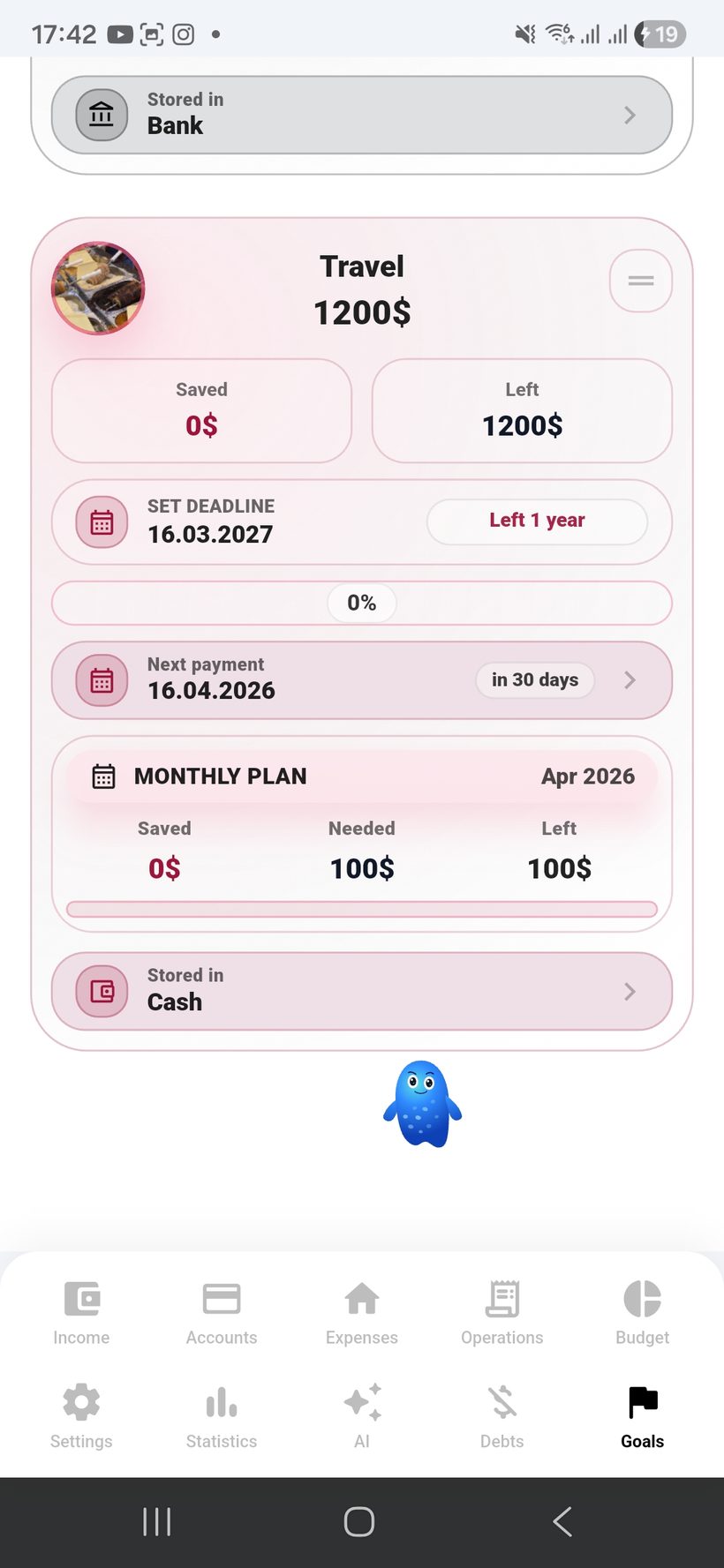
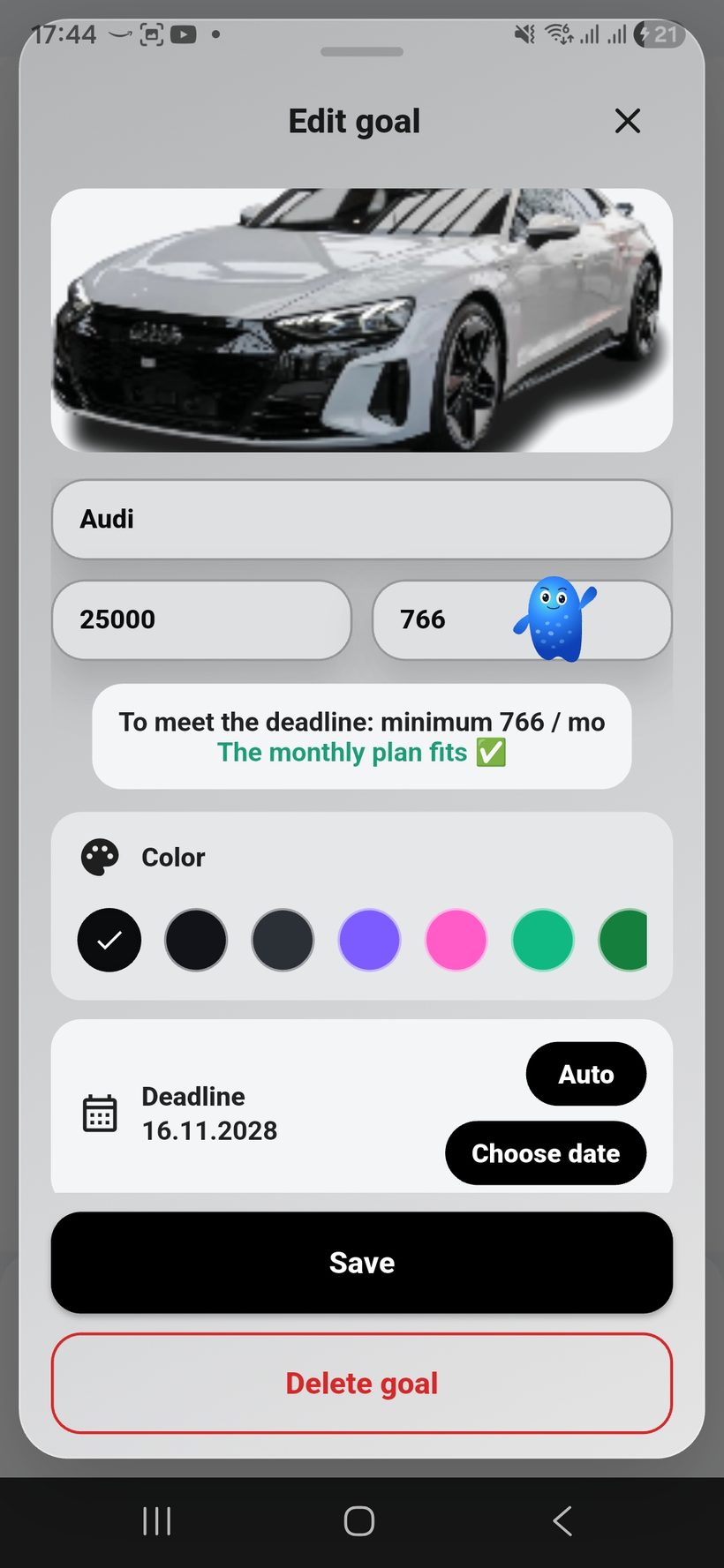
    Savings plan: set how much to save each month, and the app calculates what remains and by what date the goal will be reached.
  • 🏷️
    You can specify where the goal money is stored: an envelope, a safe-deposit box, or a separate account — so it does not mix with everyday spending.
  • 📈
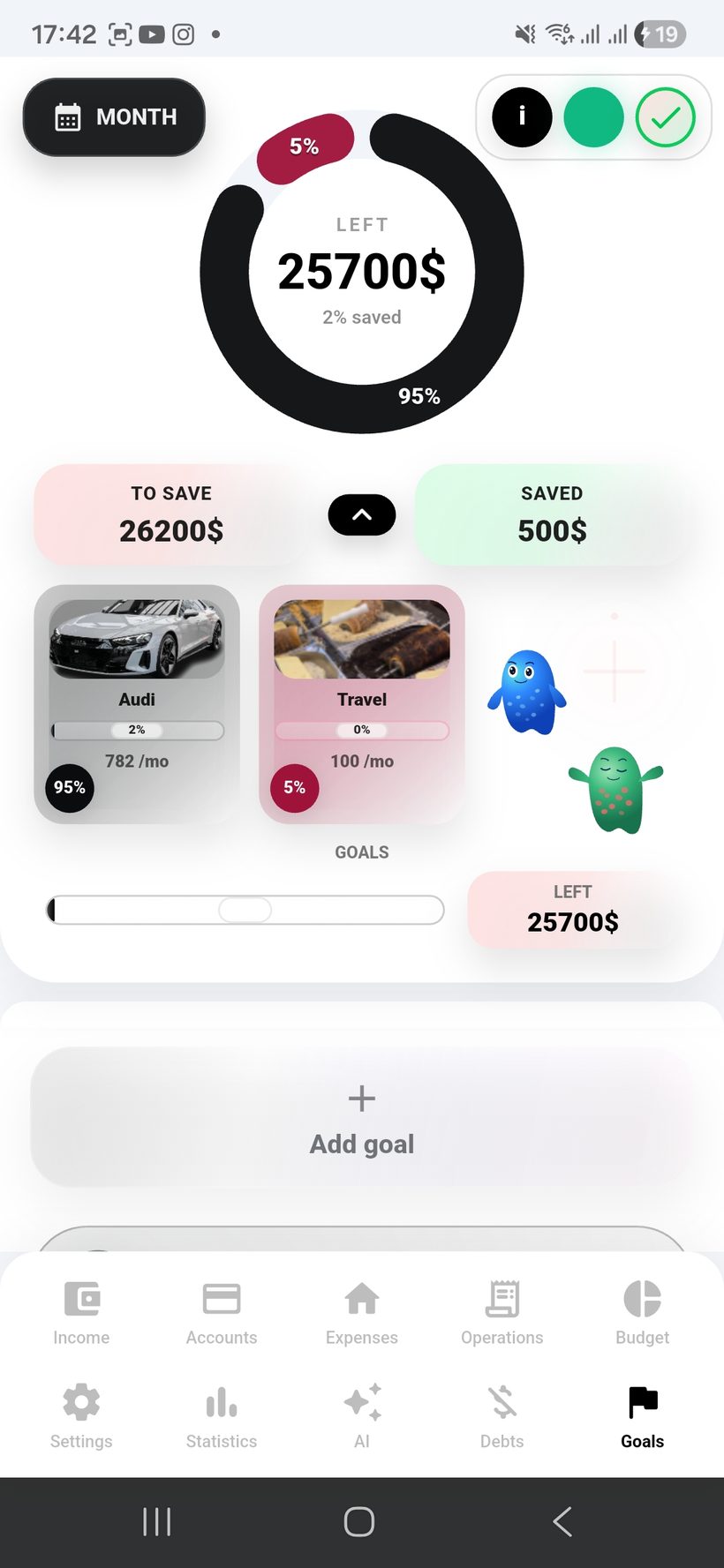
    Goal progress is visible in amounts and percentages, and even with many goals the overall picture remains clear.
  • 🍩
    The goal donut chart shows which goal takes a larger share compared with the others.
  • 🎨
    Goals and their cards can be fully customized by color to match your personal style.
Section scenario: the user sets a goal, chooses a monthly plan, and immediately sees the deadline, storage place, and goal distribution on the donut.
Goals — screen 1
Create
1
Create goal
Show a quick goal-creation flow: photo, amount, and saving in 2–3 clicks.
Scenario
3 clicks
Фокус
Simple
Goals — screen 2
Plan
2
Monthly plan and deadline
This is the best place to show the savings plan: how much to save each month, how much remains, and by what date the goal will be reached.
Plan
Monthly
Date
Deadline
Goals — screen 3
Storage
3
Where to store money for the goal
Show the choice of storage place: an envelope, a box, or a separate account — so the goal stays separated from everyday expenses.
Place
Envelope
Control
Separate
Goals — screen 4
Progress
4
Progress in % and amounts
This is a good place to show goal progress: percentages, accumulated amount, and quick actions.
Progress
%
Amount
Amount
Goals — screen 5
Donut
5
Goal shares + customization
The final screen can be used for the goal donut chart and for showing personalized card colors.
Chart
Share %
Colors
Custom

Debts, charts
and control

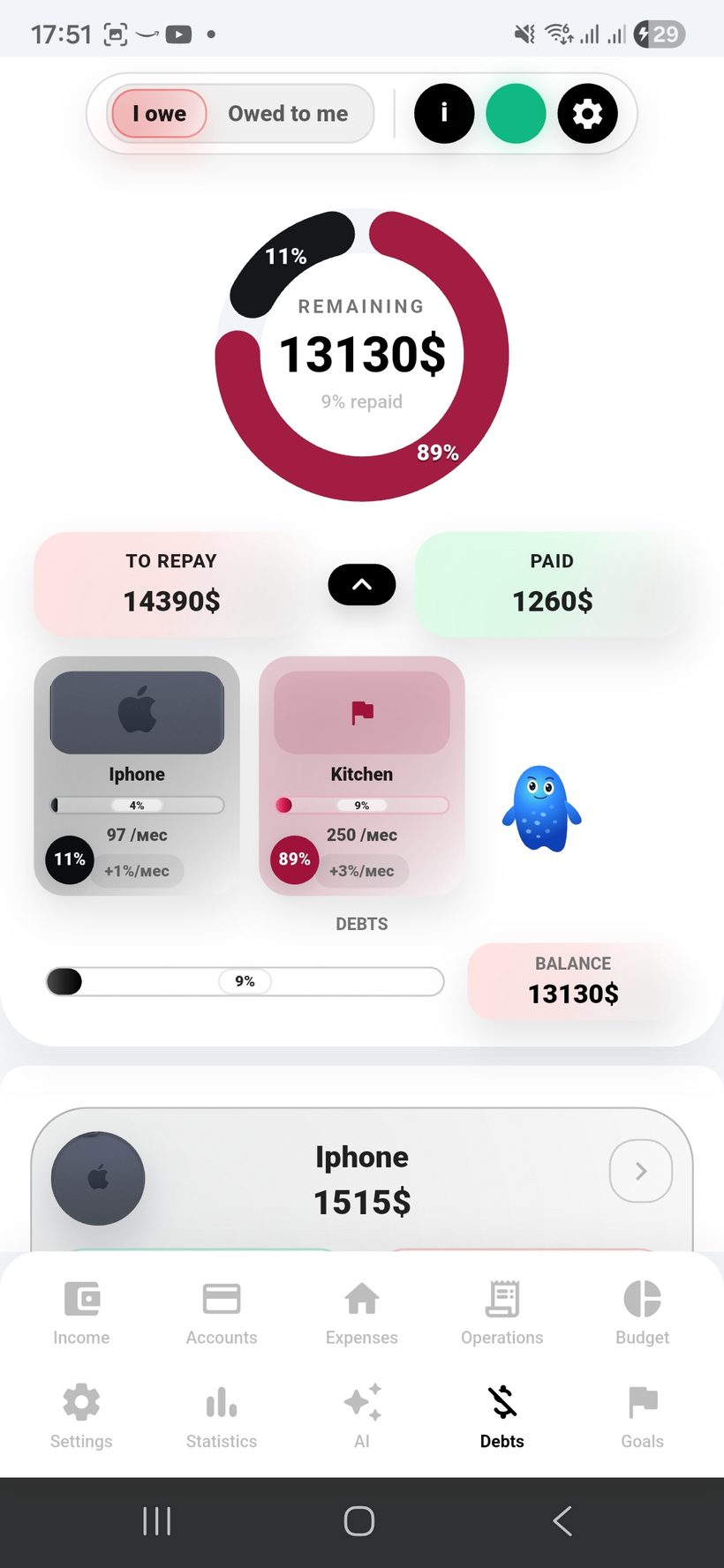
Debts in Freelife turn into a manageable plan: you record amounts, deadlines, interest, and see the real repayment dynamics.

  • 🖼️
    You can add a photo or avatar to each debt so it is easier to navigate your obligations.
  • 🌍
    Multi-currency support: debts and payments can be in another currency, and conversion is performed automatically.
  • 🏦
    Debits can be configured from regular and foreign-currency accounts, with clear display in the account currency and the app currency.
  • 📅
    The repayment deadline is calculated automatically and recalculated if you pay more or less.
  • %️⃣
    Automatic interest accrual can be enabled, and you can choose the accrual date or frequency.
  • 🍩
    The donut chart shows which debts take a larger share compared with the others.
  • 🤝
    There are two sides: “we owe” and “we are owed” — with deadlines, repayment schedules, multi-currency support, and interest.
  • 🎨
    Debts and goals can be fully customized by color: cards, labels, and the visual system.
Section scenario: the user records a debt (or money owed to them), chooses an account and currency, and sees the automatic deadline, interest, and debt distribution on the donut chart.
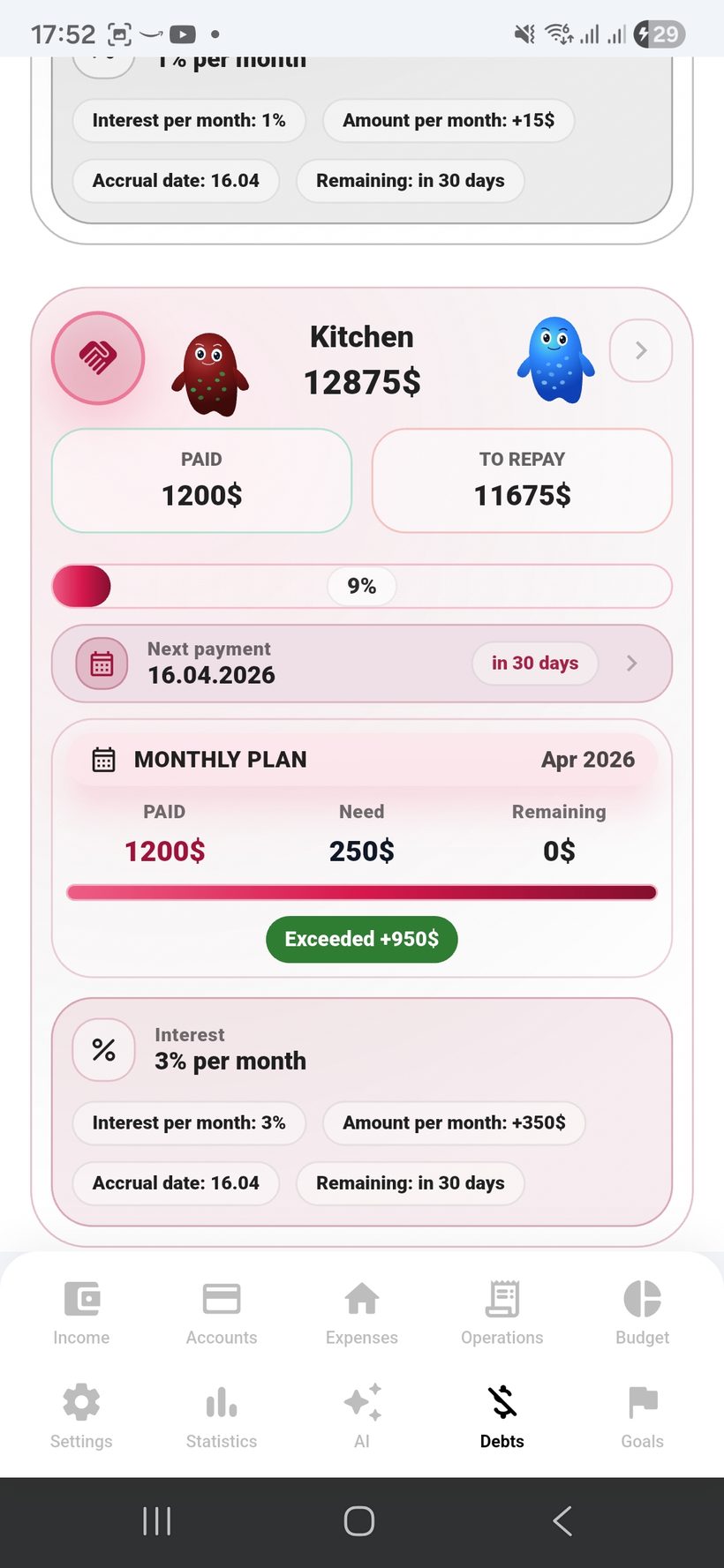
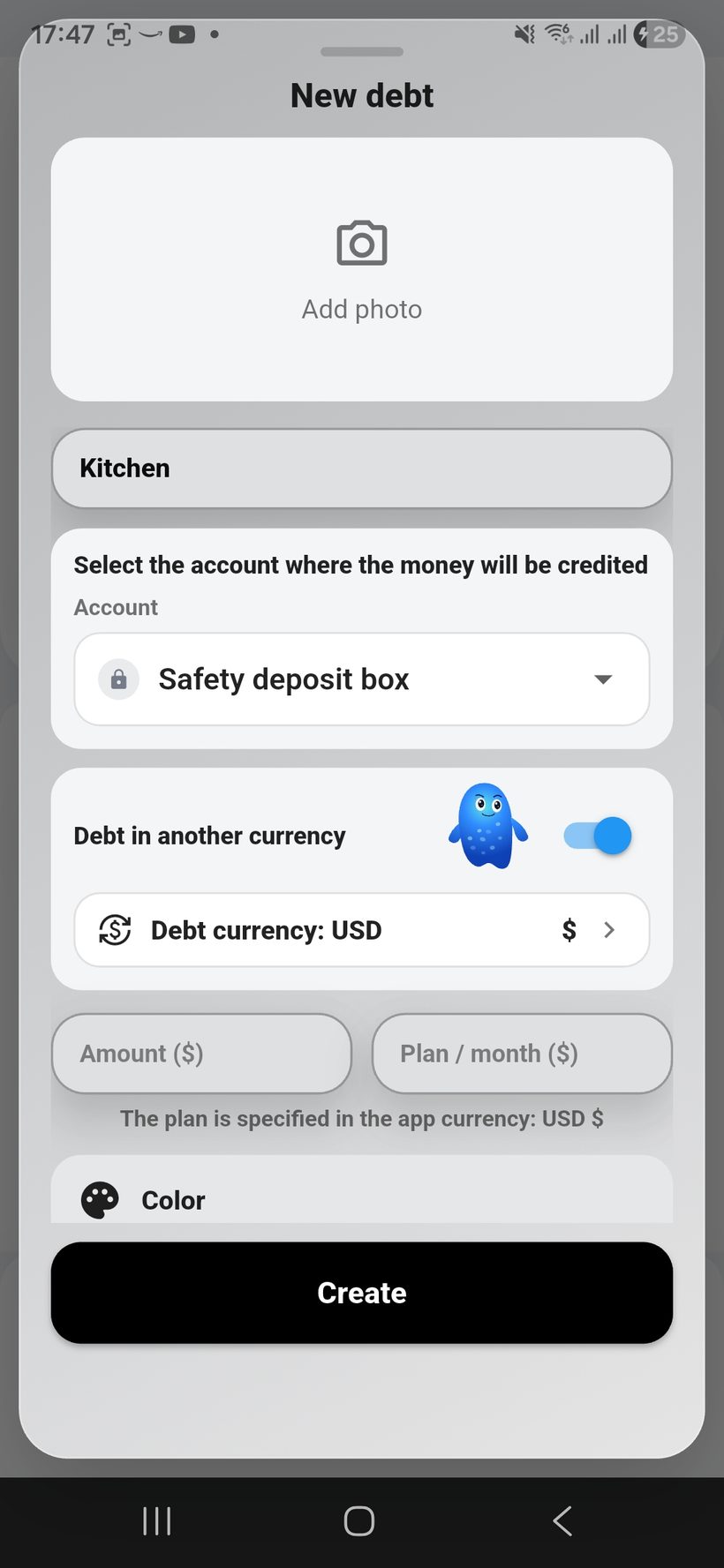
Debts — screen 1
Create
1
Create debt + photo
Show adding a debt (or “money owed to us”) with a photo or avatar and basic parameters.
Scenario
3 clicks
Фокус
Clarity
Debts — screen 2
FX
2
Multi-currency and conversion
This is the best place to show a debt in another currency and its automatic conversion into the app currency at the current rate.
Currencies
Multi FX
Rate
Auto
Debts — screen 3
Account
3
Debit from account
Show the setup of debits from a regular or foreign-currency account with display in two currencies.
Account
Linked
Display
2 FX
Debts — screen 4
Interest
4
Interest and accruals
This frame is ideal for showing automatic interest accrual, the choice of accrual date, and transparent debt terms.
Interest
Auto
Date
Schedule
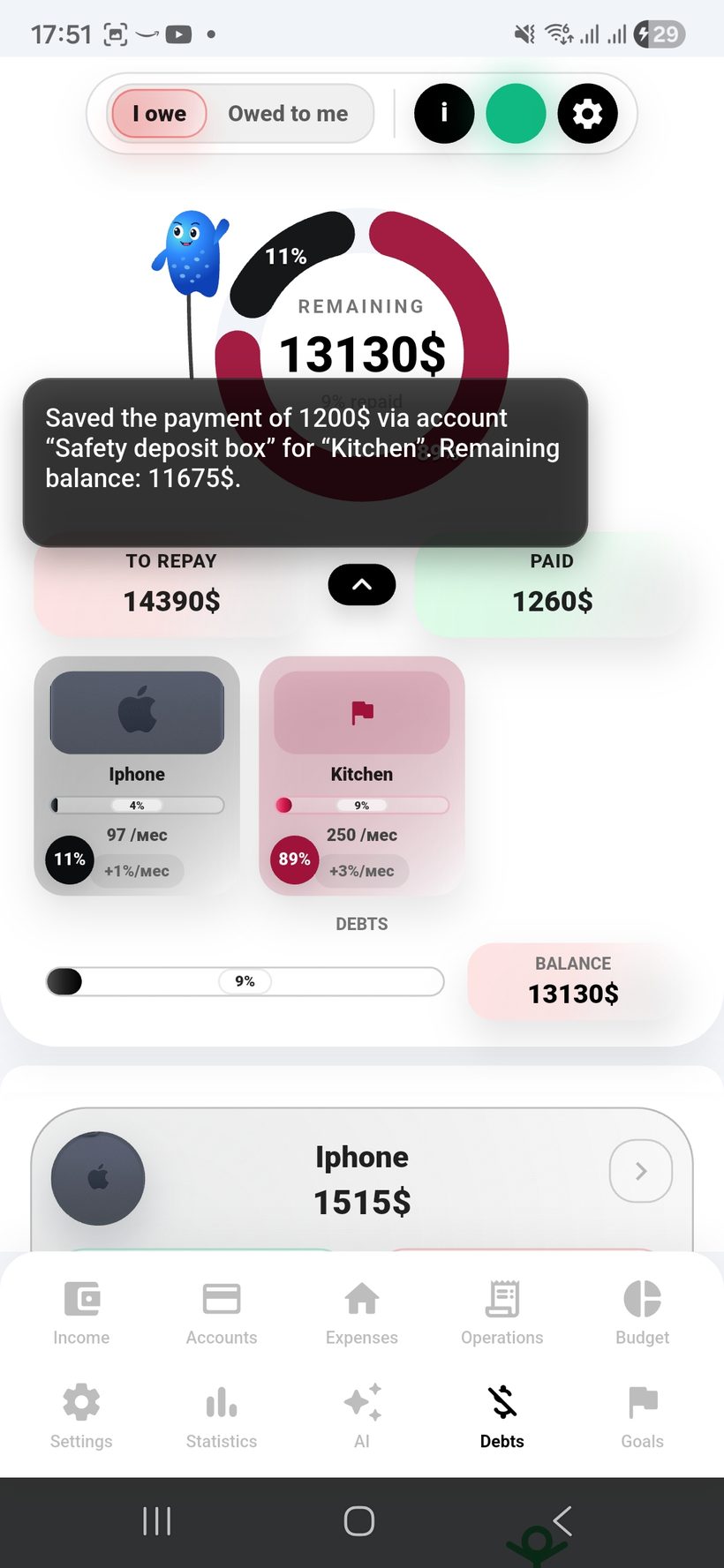
Debts — screen 5
Donut
5
We owe / owed to us + donut
The final screen can be used for the overall list, the repayment chart, and the donut chart of debt distribution.
Chart
Share %
Control
Schedule

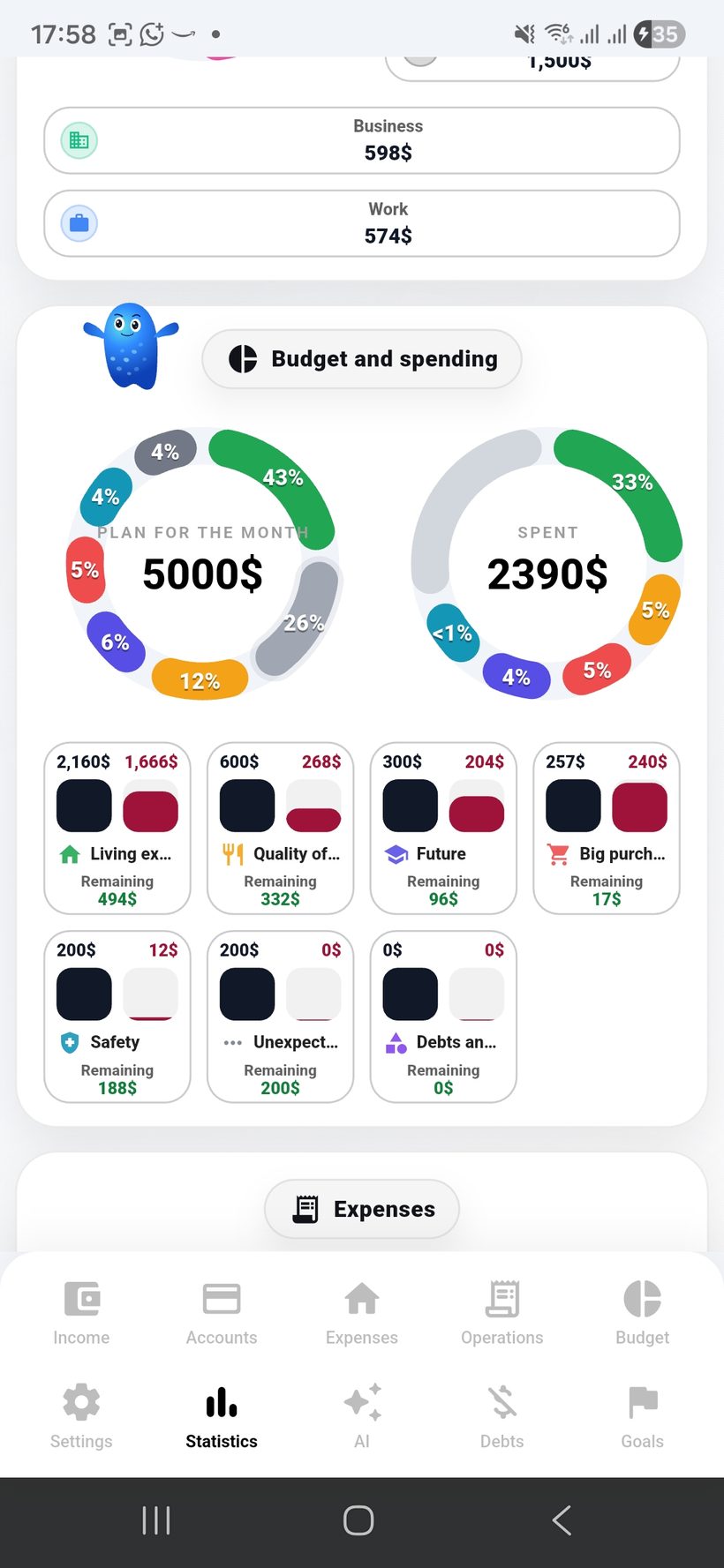
Statistics and
full analytics

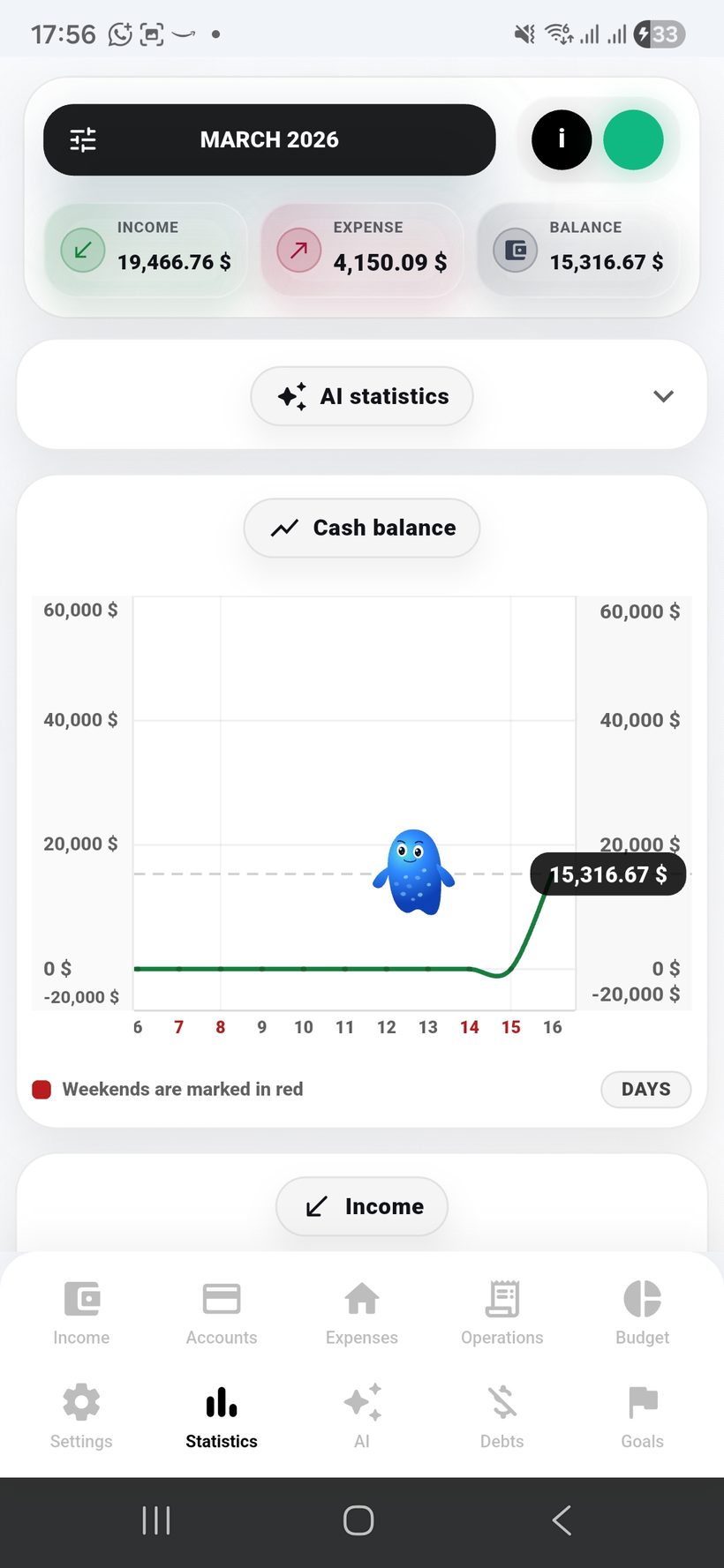
Statistics in Freelife show the real financial picture for any selected time period — from one day to months and years.

  • 📊
    You can choose any period and see full statistics for income, expenses, transactions, budgets, goals, and debts.
  • 🌍
    Multi-currency support preserves analytics across the currencies you used in different countries and periods.
  • 📈
    Charts show the trend of remaining funds, the dynamics of income, and the expense structure over the selected period.
  • 🍩
    Donut charts help you quickly see which income sources were larger, which expenses took the main share, and how budgets were distributed.
  • 🎯
    Progress on goals, debt repayment, and money returned by debtors is visible separately — both in the overall picture and by each category.
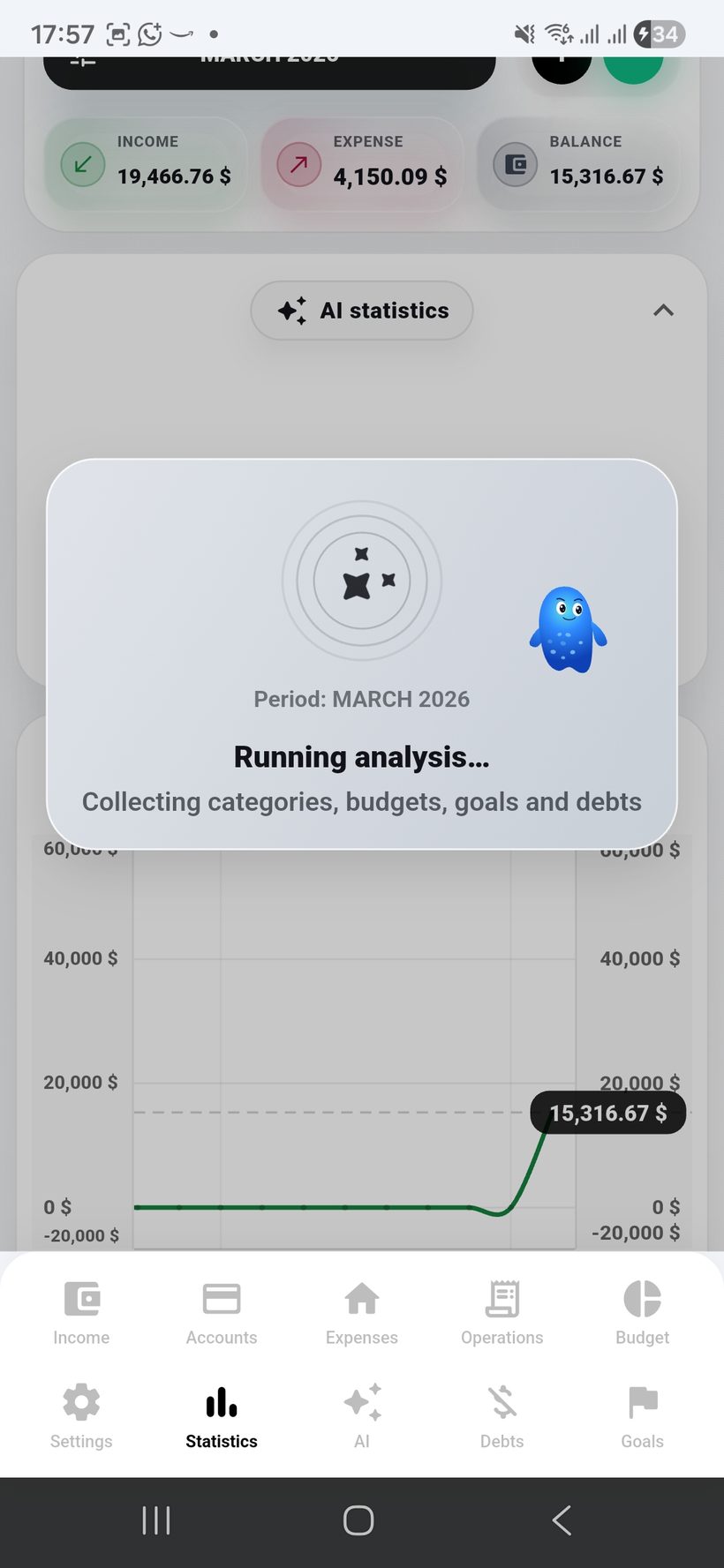
  • 🤖
    For any period, you can additionally generate AI statistics and get deeper analysis on top of regular charts.
Section scenario: the user selects a period, views the overall picture through charts and diagrams, and then dives deeper into separate categories and trends for income, expenses, goals, and debts.
Statistics — screen 1
Период
1
Period selection and overview
The first screen is ideal for showing the choice of any period: day, week, month, year, or a long historical range for the overall picture.
Период
Any range
Режим
Overview
Statistics — screen 2
Trend
2
Balance trend
This is the best place to show the chart of changes in the overall cash balance over the selected period to see the direction of financial dynamics.
Chart
Balance
Фокус
Trend
Statistics — screen 3
Income
3
Income and its shares
This frame is best for showing the income chart and the donut chart so it is clear which sources brought more and which brought less.
Income
Share %
Source
Top flow
Statistics — screen 4
Spend
4
Расходs and budget adherence
This screen is suitable for expense analytics: which groups spent more, where the budget was exceeded, and how the plan behaved over time.
Budget
Plan vs Fact
Spending
Groups
Statistics — screen 5
Goals
5
Goals, debts, and the big picture
The final screen can be used for the overall trend of goals, debts, and returns from debtors over the selected period.
Goals
Progress
Debts
Tracking

Artificial intelligence
and deep analysis

AI in Freelife turns data into understandable conclusions: it analyzes patterns, checks budget discipline, and helps you see your whole financial life in one window.

  • 🧠
    AI analyzes expenses, income, budgets, goals, debts, transactions, and recurring costs for any period you need.
  • 🗓️
    You can build AI analysis for one day, a week, a month, a year, and even for long periods of one or two years or more.
  • 💱
    Artificial intelligence takes into account multiple currencies, exchange rates, and financial history from different countries so the conclusions remain coherent.
  • 🔍
    AI finds patterns across the main spending categories, notices recurring scenarios, and highlights important behavior changes.
  • 💡
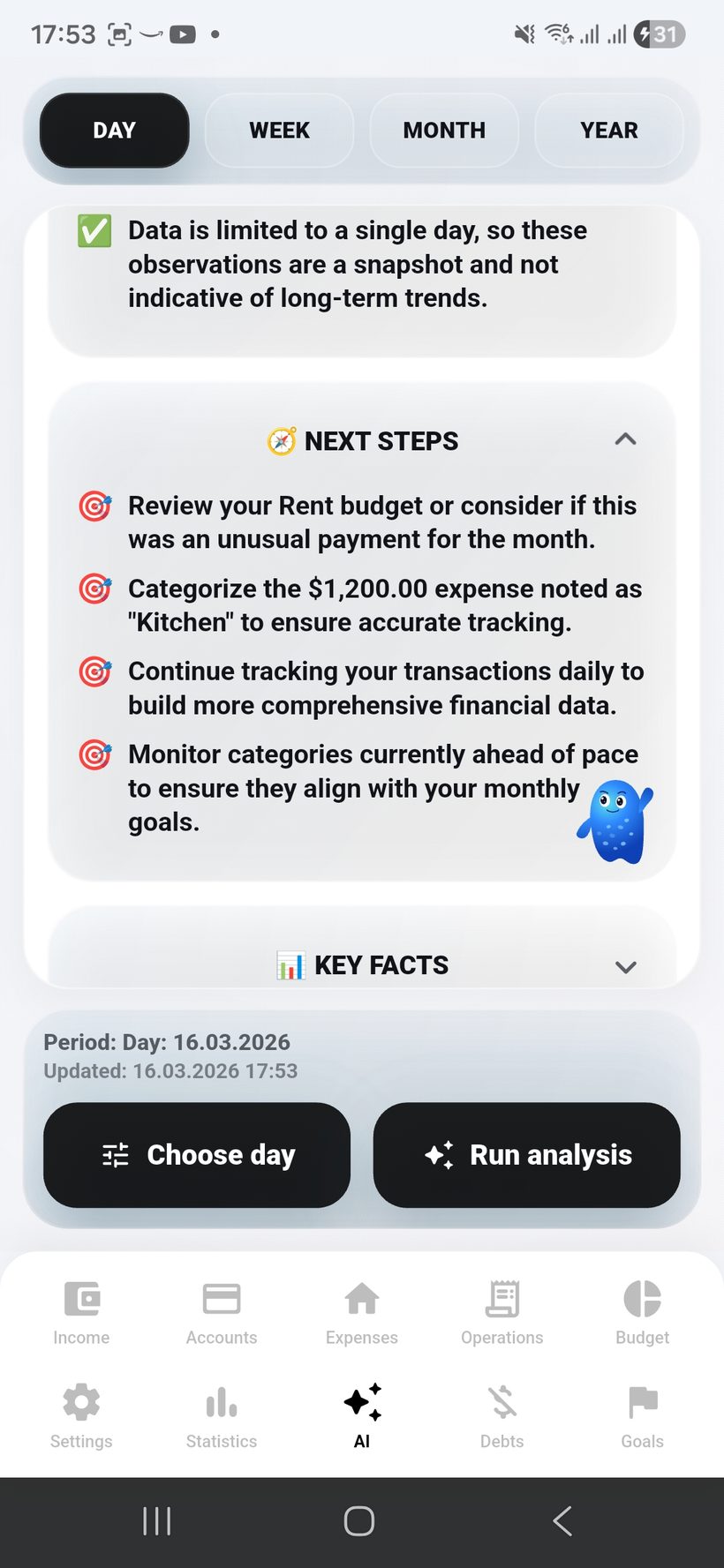
    Beyond analysis, the system gives advice: what to pay attention to, where the risks are, what should be optimized, and how to stay on plan more effectively.
  • 🧭
    As a result, the user gets the maximum level of control over their entire financial life at any time and at any period scale.
Section scenario: the user selects a period, launches AI analysis, and gets not just charts but conclusions about patterns, budget, goals, debts, and the overall resilience of their financial system.
AI — screen 1
AI
1
AI overview for any period
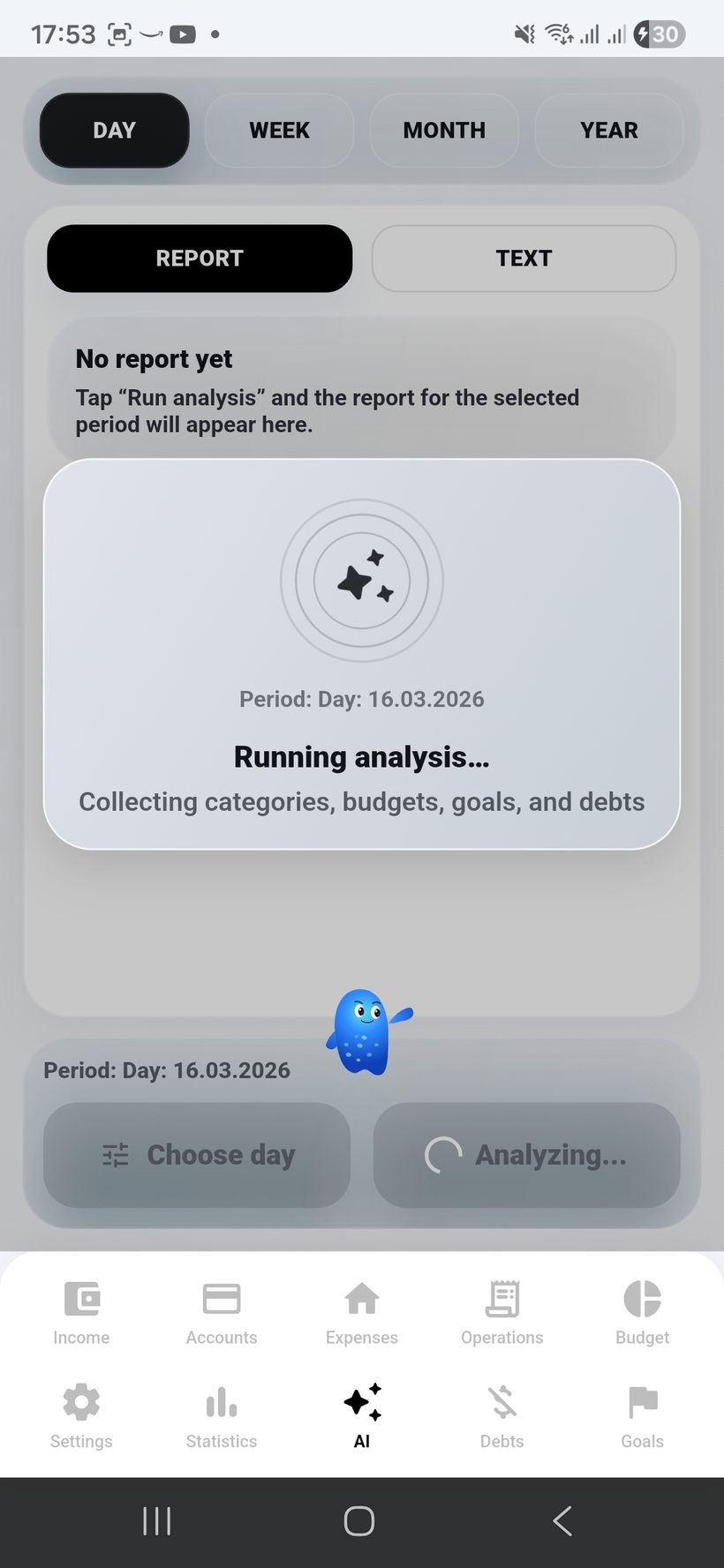
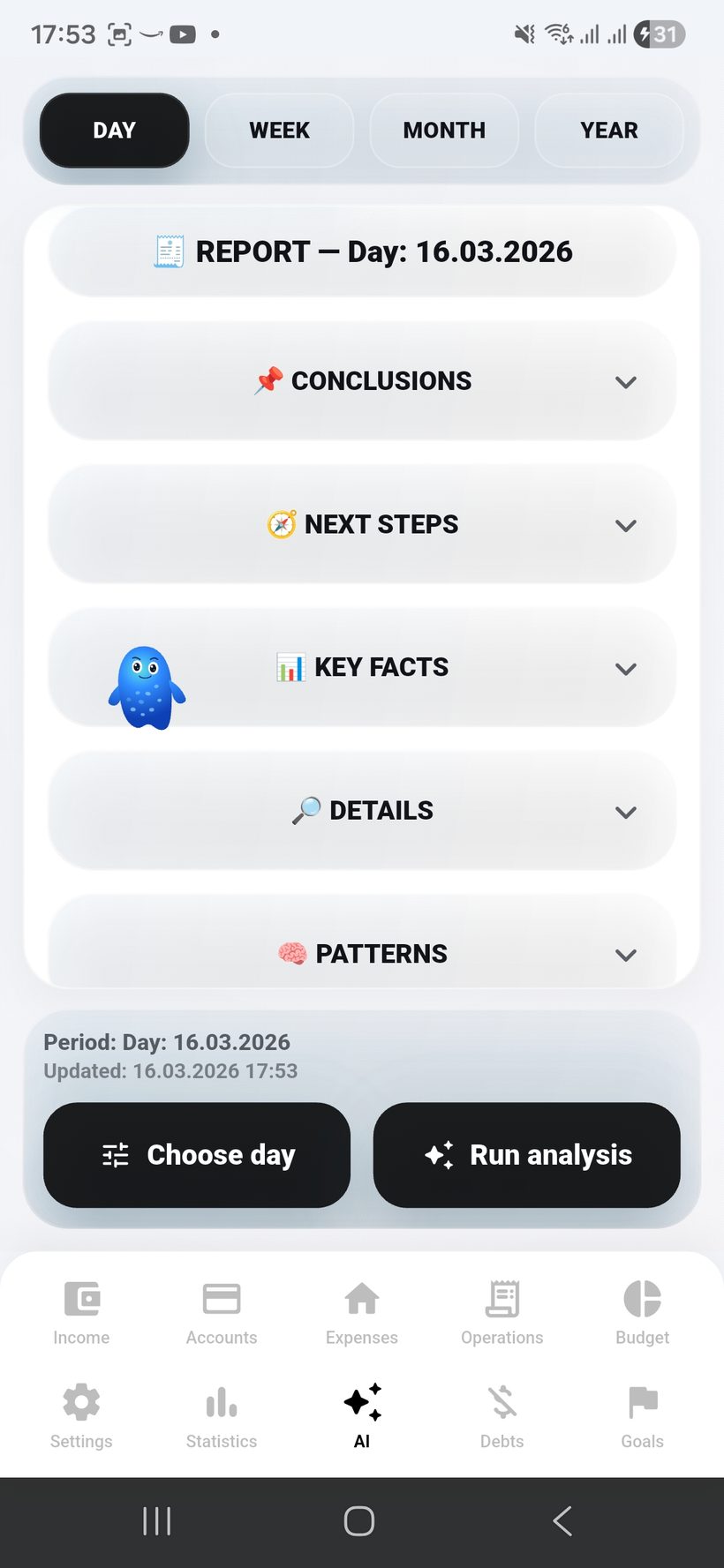
The first screen can be used for the main AI-отчёт: the overall picture of financial life for the selected period with key conclusions.
Report
AI brief
Период
Custom
AI — screen 2
Pattern
2
Patterns and behavior
This screen is good for showing how AI recognizes recurring expenses, key categories, and changes in the user’s habits.
Patterns
Habits
Risk
Signals
AI — screen 3
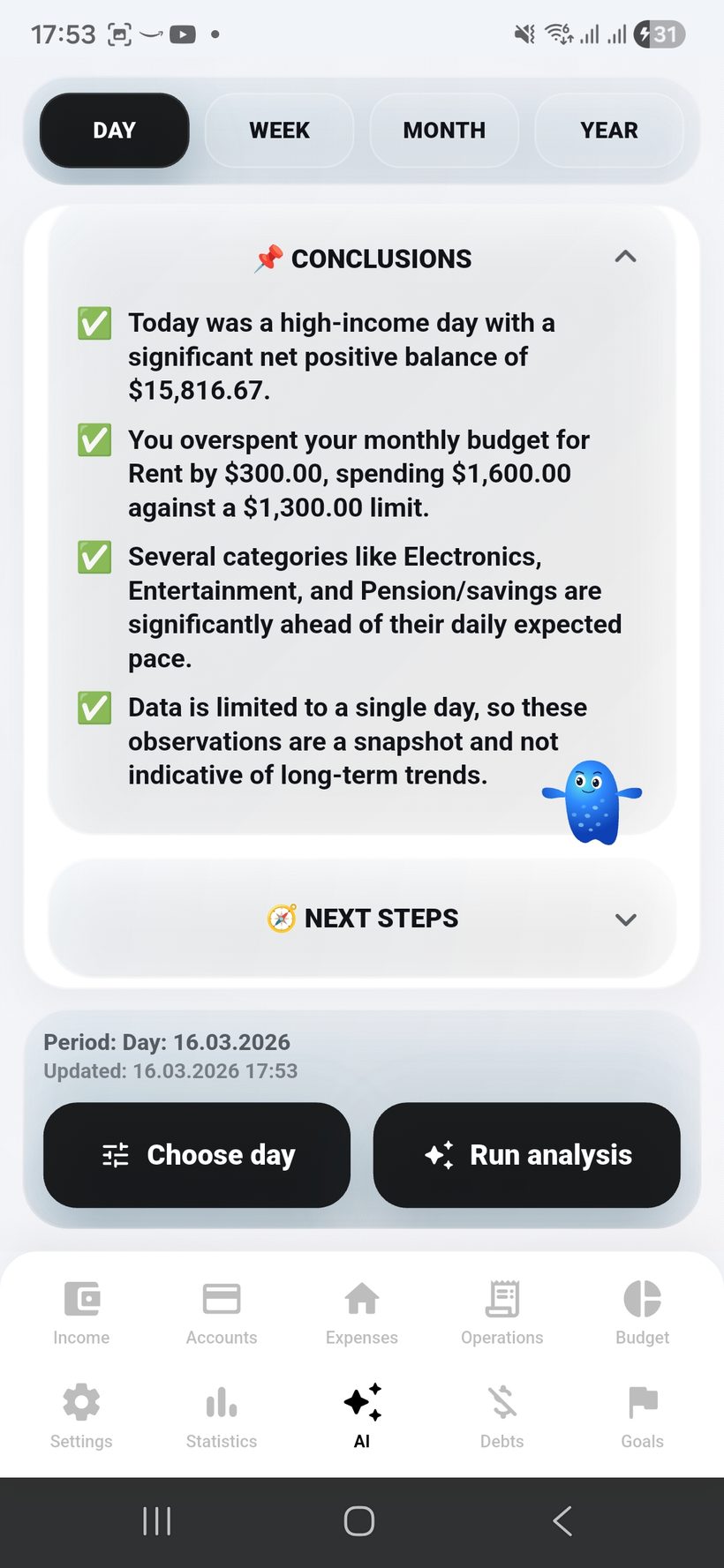
Budget
3
Budget discipline and costs
This frame is suitable for AI budget analysis: where the user stays on plan, where deviations appear, and which recurring costs have the strongest impact.
Budget
On track?
Costs
Recurring
AI — screen 4
Goals
4
Goals, debts, and financial discipline
This is the best place to show how AI analyzes goal achievement, debt repayment, and helps build a more realistic pace of progress.
Goals
Forecast
Debts
Control
AI — screen 5
Advice
5
Advice, multi-currency, and recommendations
The final screen can be used for personal AI advice, optimization recommendations, and the user’s overall multi-currency picture.
AI
Advice
FX
Global
Instagram

Founder of Freelife

Dima Moroz

Dima Moroz

Founder & Developer
moroz.sbs

“I created this app because I personally faced the problem of financial tracking. I wanted to see not just numbers, but my financial life in the palm of my hand. The ideology here is freedom from debt and smart accumulation.”

Stage 01 · NOW
100
Active
First community members
App Store release — 25.04.2026. Google Play release — 30.04.2026. Close communication with first users and feedback collection will help strengthen the product more precisely from day one.
App Store release — 25.04.2026
Google Play release — 30.04.2026
Close communication with the first users
Recording requests and processing feedback
Improved optimization
More character interaction with the AI interface
Stage 03
5 000
Plan
Investment intelligence
The app will get an investment module: tracking of investments, dividends, and losses, a separate AI analysis of investments, and an overall analysis of the financial situation with recommendations, warnings, and pattern tracking.
Tracking investments, dividends, and losses inside the app
Separate AI analysis of the investment direction
Overall financial analysis that takes investments into account
Recommendations, warnings, and pattern tracking
Stage 05
100 000
Next stage
International level
Performance marketing, referral program 2.0, and partnerships with finance bloggers.
Referral: one free month
Web Dashboard v1
Stage 07
300 000
Plan
Personal financial intelligence
Transition to a sustainable growth model and preparation of the foundation for the next scaling stage of the platform.
Break-even reached
Insurance products
Stage 09
500 000
Plan
Smart expense recognition
B2B direction for sole proprietors and small businesses: team expenses, control, and bookkeeping.
Business accounts
Team expenses
Stage 11
700 000
Plan
Ecosystem economy
Expansion into Eastern European markets, European transfers, and deep localization of the app.
SEPA transfers
Localization in 8 languages
Stage 13
900 000
Plan
Full banking integration
Open marketplace for financial products: insurance, loans, investments, and external services.
Financial marketplace
White-label API
Stage 02
1 000
Plan
Emotional navigator
The stress-manager AI module will analyze the user’s condition at the moment of income and expenses, track patterns, and suggest how to cope with stress better and strengthen positive states.
Stress manager when adding income and expenses
Recording stress and mood levels at the moment of the transaction
AI analysis of emotional-state patterns and financial habits
Recommendations for reducing stress and strengthening positive outcomes
Stage 04
10 000
Plan
Foundation of financial growth
Launch of Freelife Premium, first paying users, and tuning of the payment funnel.
Premium
AI budget insights
PDF export
Stage 06
200 000
Plan
Support ecosystem
Investment module, family accounts, AI budget forecast, and first media PR.
Investment portfolio
Family plan
Stage 08
400 000
Plan
AVA in real time
Expansion to Kazakhstan, Belarus, and Uzbekistan. Multi-currency accounts and platform localization.
Multi-currency support
Localization in 4 languages
Stage 10
600 000
Plan
Token launch
Virtual debit card, cashback, and stronger payment infrastructure.
Freelife Virtual Card
Cashback program
Stage 12
800 000
Plan
Social savings pot
A full AI advisor with predictive analytics, coaching, and smart action flows.
AI personal advisor
Predictive analytics
Stage 14
1 000 000
Goal
Banking of the future
When we reach 1,000,000 subscribers, we launch the key Freelife innovations and the next product level.
Launch of Freelife Card and cashback expansion
Collaborations with banks and payment partners
Full automation of the app and AI flows
Ecosystem of goals, accounts, budget, debts, and investments
AVA AI
Tap AVA to get a hint.